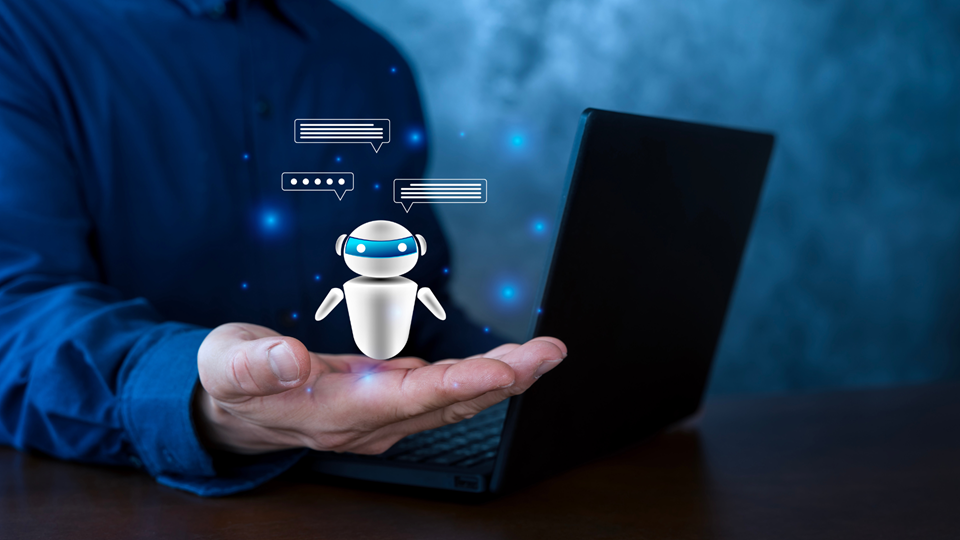
As technology progresses, AI image tools are transforming the creation of visuals. These tools can convert basic text prompts into distinct images. From artistic creations to detailed graphics, they provide a range of applications for personal and business purposes. This article will examine various AI image generators you should be aware of, showcasing their features, pricing, and optimal use cases, assisting you in selecting the right tool for your creative endeavors.
Overview of AI Image Tools Applications
AI image generators offer various applications that enhance visual content creation across multiple fields. These tools, featuring advanced options like generative fill and expand, create images from intricate queries, making them ideal for artistic projects.
For example, designers can use photo editors such as Adobe Firefly or platforms like Canva and Freepik to craft striking visuals for social media. They offer customization options like adjusting image dimensions and effortlessly removing backgrounds or objects. In e-commerce, AI-generated visuals present products attractively, which can boost sales. Educational resources also benefit from AI art to clarify concepts, enriching learning experiences.
Additionally, some generators, such as DALL·E 3 and Midjourney, are recognized for their creativity, though they may occasionally produce flaws or inaccuracies. Many platforms provide free plans and credits, allowing users to experiment without financial commitment.
Top AI Image Generators to Explore
Midjourney
Midjourney stands out with its artistic styles and advanced customization options, making it popular among users who want to create engaging AI images. Unlike many image generators that focus on realism, Midjourney prioritizes creative expression, enabling users to express their artistic vision through detailed queries and specific prompts.
This aspect is particularly advantageous for fields like graphic design, social media marketing, and content creation, where visually engaging content is important. Users can try different prompts to produce a variety of visuals, while editing tools such as generative fill and generative expand enhance the creative workflow. Nonetheless, maintaining quality can be a challenge, as generated images may sometimes have imperfections and inaccuracies requiring thorough editing. Ethical considerations also emerge with AI-generated images, especially regarding copyright issues and the public sharing of images.
Users making use of features like AI remove background and AI remove object should be aware of these concerns while engaging with platforms that offer free or paid plans, such as Adobe Firefly, Canva, or Freepik.
DALL-E 2
DALL-E 2 enhances the creative process by allowing users to create unique AI images from text prompts with high-quality results, distinguishing it from others like Midjourney and Stable Diffusion. This AI image generator offers advanced features for customization, enabling users to craft visuals that reflect their artistic vision. Noteworthy features include the ability to handle complex queries, respond quickly, and produce various image dimensions, making it adaptable for different projects.
Industries like marketing benefit from DALL-E 2 by generating engaging visual content for social media and advertisements, while educators may use it for producing illustrative materials. With AI generative fill and generative expand, users can easily edit images, remove backgrounds, and make basic adjustments. Tools like Canva and Freepik complement this by providing additional editing tools and options for free AI art and paid plans with added features.
However, users should be mindful of issues such as hallucinations and copyright infringement. With mobile apps for accessibility and diverse customization options, DALL-E 2 supports a wide range of creative needs.
Stable Diffusion

Stable Diffusion stands out among AI image generators due to its high level of customization and control, allowing users to influence the image dimensions and choose from various prompts. This flexibility supports complex queries that can lead to unique AI art creations. Users appreciate its capability to generate impressive visual content that aligns with their artistic vision, making it suitable for tasks like designing social media graphics or enhancing photographs for editing tools.
Compared to other tools like DALL·E 3 or Midjourney, it enables detailed fine-tuning, which is useful for specific needs in graphic design. However, some challenges include misleading representations in AI-generated images, meaning the tool might produce unexpected flaws or quirks. Ethical considerations also arise, such as copyright infringement from the use of generated images.
Despite these challenges, tools like Adobe Firefly and Canva integrate features like AI background removal and generative fill options, offering basic adjustments or advanced features alongside public and paid plans. Users can explore free AI art options while balancing creativity with these potential issues.
Using AI Image Tools Applications in Graphic Design
Canva
Canva offers a mobile app that is easy to use and includes both basic image editing and advanced features for creating visual content. The platform provides a free plan with an intuitive interface for accessing design templates, allowing adjustments such as image ratios and text placement. Its integration of AI technology features tools like background removal and object removal, simplifying tasks for users.
Canva also uses generative AI methods to boost creativity, enabling users to express their artistic vision without needing extensive editing tools. For social media marketing, its capability to quickly generate AI images and create engaging content is further enhanced by importing from services like DALL·E 3 or using editing options from Freepik. Users can try different styles and elements, making their social media posts visually attractive while managing image credits effectively.
Collaboration tools allow users to work together on designs, encouraging creative ideas and increasing engagement without the quirks often found in some AI image generators.
Adobe Photoshop
Adobe Photoshop offers a range of features that enhance a user’s ability to create and edit images effectively, including tools for basic adjustments and advanced features like AI generative fill and generative expand, allowing users to manipulate images intelligently. Users can generate patterns or remove backgrounds, making the editing process smoother. The program integrates well with other AI image generators like Midjourney and DALL·E 3, promoting a streamlined graphic design workflow.
This integration enables users to combine AI-generated images with their own creative vision. Professional users can count on Photoshop for customization options that give them control over the image ratio and details in their projects. Though tools like Canva and Freepik offer basic image editing capabilities, Photoshop supports complex queries and provides a mobile app for users on-the-go.
Additionally, users can experiment with features in the Creative Cloud, allowing them to share visual content on social media. These tools enhance response speed and creativity while addressing flaws and quirks in AI-generated images.
Social Media Marketing with AI Image Tools
Picsart for Content Creation
Picsart enhances content creation by offering a user-friendly platform that combines various editing tools, enabling efficient visual content creation. Features like AI background removal allow users to quickly isolate subjects in photos, while basic editing tools help adjust image ratios. The app’s advanced options, such as generative AI tools like fill and expand, empower creators to enhance their artistic vision and produce engaging AI-generated images.
Users can optimize their social media marketing strategies by crafting eye-catching visuals that boost interaction. For greater design control, customization features allow for the use of different templates, ensuring content aligns with personal brand identities. Unlike other graphic design applications, Picsart distinguishes itself by merging AI image generation capabilities found in platforms like DALL·E 3 and Stable Diffusion with a mobile app for convenient access.
Its integration with Creative Cloud also offers a smooth experience for those accustomed to Adobe Firefly.
InShot for Video Thumbnails

InShot offers impressive features for creating eye-catching video thumbnails. It includes easy-to-use tools for making basic adjustments, like cropping and resizing images to fit specific formats for various social media platforms. Users can enhance their visual content by applying advanced features, such as AI background removal or AI object removal, resulting in cleaner, more professional-looking thumbnails.
The app allows for great customization options, enabling users to integrate their artistic vision into each design.
Additionally, InShot’s editing capabilities let users combine AI-generated images from tools like DALL·E 3 or generative outputs from platforms like Midjourney or Stable Diffusion. The app also supports free plans for creating AI art, making it accessible for creators on a budget. By streamlining the design process with intuitive editing tools, InShot helps users create visually appealing thumbnails quickly. Users can also generate thumbnails using unique styles from resources like Canva or Freepik, ensuring originality in their content. With features like generative fill and expand, creators can enhance creativity while minimizing flaws that may arise with simpler tools.
AI Image Tools Applications in E-Commerce
Amazon Product Photography

Amazon product photography requires several elements to attract potential buyers.
First, ensuring that photos follow image aspect ratio guidelines is important. Using AI image generators like DALL·E 3, Midjourney, or Stable Diffusion can help create visually appealing images. These tools provide advanced features for customization and can generate high-quality visuals quickly. Sellers can benefit from simple adjustments using a photo editor or editing tools like Adobe Firefly, which includes generative fill options. High-quality images can significantly impact conversion rates, leading to improved sales performance as customers are more attracted to clear, vibrant, and imaginative products. AI generative options also allow for rapid creation and testing of different visuals, enhancing creativity without the quirks and flaws often found in traditional photography.
Platforms like Canva and Freepik offer free plans and easy access for those needing a low-cost entry, while others like DeepAI and Craiyon provide user-friendly interfaces. These AI image generators enable sellers to produce stunning, professional-grade photography with better response speed, helping maintain a competitive advantage in social media and online marketplaces.
Shopify for Online Stores

AI image generators, such as DALL·E 3 and Midjourney, improve visual content creation by offering customization and control. They handle complex queries through diffusion techniques, enabling users to create impressive images for social media or other uses. Individuals can create and modify AI art on sites like Canva or Freepik, which typically have free plans with image credits for testing.
Numerous tools, including Adobe Firefly, offer basic adjustments or advanced options like background removal and object elimination. While making images, users may encounter peculiarities in the output that require attention. Some platforms, like DeepAI or Craiyon, specialize in basic image editing yet can achieve creative results. Paid subscriptions generally provide faster response times and extra functionalities. In creative settings like the Creative Cloud, tools like AI generative fill and generative expand enhance artistic vision and streamline the editing process.
AI Image Tools Applications in Education
Creating Visual Aids with AI Tools
Educators can harness AI image generators to produce tailored visuals that enhance learning experiences. By employing tools like Canva, Freepik, and Adobe Firefly, teachers can create engaging content suitable for social media and classroom displays. These platforms provide a variety of customization options, giving users control over image sizes and themes.
AI tools, including DALL·E 3 and Midjourney, adeptly interpret complex queries, fostering creativity while accommodating diverse educational requirements.
For example, teachers can generate images that illustrate concepts, offering visual aids that address various learning styles. Features like AI generative fill and basic adjustment options facilitate fine-tuning of visuals. Furthermore, integrating these tools into the workflow streamlines the creation process, as many platforms provide free plans with daily image credits. AI can significantly cut down the time involved in traditional image editing by quickly generating high-quality visuals, while responsive tools also offer advanced features for further customization. Nonetheless, users should remain cautious of potential inaccuracies in AI-generated images, such as hallucinations or oddities, to ensure the correct representation of educational content.
Interactive Learning Materials
Interactive learning materials can boost student engagement and understanding by offering options for customization and basic image editing tools.
For example, an AI image generator may enable students to create AI-generated images, such as those produced by DALL·E 3 or Midjourney, which can represent complex ideas and artistic concepts. These platforms frequently provide functionalities like AI background removal and AI object removal, which assist with basic adjustments and encourage exploration of visual content. To support various learning preferences, tools such as Canva and Freepik can be used for visual aids, while applications like Adobe Firefly feature generative fill and generative expand options, catering to different tastes. Collaborative elements emerge when using mobile apps that let students share their creations on social media or edit one another’s work, fostering communication among classmates.
Benefits of AI Image Generators
Cost-Effective Solutions
Businesses can maximize their budgets by choosing AI image generators with free plans or affordable paid options. For instance, using tools like Canva, Freepik, and DeepAI allows quick creation of visual content without hefty fees. Many of these platforms offer basic image editing, like AI background and object removal functionalities, along with advanced features to meet complex queries.
Social media posts can be easily designed using AI art applications like Adobe Firefly, which includes generative fill and expand tools. Non-profits and educational institutions can benefit from these cost-effective AI image solutions by accessing free AI art, helping enhance their visual content without significant costs. They can experiment with AI image generators such as Craiyon and DALL·E 3, providing flexibility in customization options while creating engaging imagery with the right image ratio.
Time Efficiency
AI image generators significantly boost time efficiency in graphic design and social media marketing by automating visual creation. Tools like Stable Diffusion and MidJourney enable users to quickly produce a variety of AI-generated images, benefiting marketing campaigns. These applications cut down on time spent on basic adjustments, allowing users to channel their efforts into creativity.
Features like generative fill and expand in Adobe Firefly and AI background removal make editing straightforward, enabling fast modifications without needing extensive photo editing expertise. Users can easily create unique and engaging content for platforms like Instagram and Twitter using free AI art tools such as DeepAI and Canva, while those with paid subscriptions can access more advanced capabilities. The ability to generate images from complex prompts, such as with DALL·E 3, ensures that visual content aligns with specific requirements, improving response speed and reducing errors.
This combination of speed and quality, despite potential quirks and inaccuracies in AI art, allows for effective customization and streamlining of workflows, making these tools indispensable for busy professionals.
Creativity Boost
AI image generators enhance creativity in projects by enabling users to easily create unique visuals. With tools like Stable Diffusion and Midjourney, artists can explore new artistic directions without requiring extensive technical skills. These applications support complex queries, allowing users to generate images that align with specific themes or styles.
Features like Adobe Firefly’s AI generative fill and generative expand, along with basic image editing options in Canva or DeepAI, provide users with control over their work. Individuals can also overcome creative blocks by using platforms like DALL·E 3 or Craiyon, which produce unexpected outputs that inspire new ideas. Customization options facilitate adjustments in image dimensions and backgrounds, while mobile apps and free plans offer access to tools at any time. Users can also experiment with quirks, such as occasional oddities in images, to spark fresh concepts.
By leveraging these editing tools, like Freepik and AI removebackground features, creativity can flourish, leading to engaging visual content ideal for social media.
Challenges with AI Image Tools Applications
Ethical Considerations
AI image generators such as DALL·E 3, Midjourney, and Stable Diffusion focus on copyright and intellectual property by setting clear guidelines for content creation. Users need to understand copyright regulations when generating or editing images, especially with public or shared visuals. Tools like Adobe Firefly and Canva provide basic editing functions and AI-generated images, allowing for background or object removal while honoring original creators.
Issues of bias and representation are addressed through ongoing improvements to algorithms, reducing flaws in the output. Generative AI tools encourage diversity in visual content by offering various customization options. Privacy and consent measures are in place, requiring user input prior to generating AI art and ensuring that employed editing tools comply with legal standards.
For example, platforms like DeepAI and Craiyon enable users to create free AI art while managing image credits and safeguarding user anonymity. Public sharing features also include options to exclude sensitive content, giving control over what is shared on social media.
Quality Control Issues
The industry faces specific quality control challenges when implementing AI image tools, particularly regarding customization options and the potential for flaws in image generation, often referred to as hallucinations. AI image generators like DALL·E 3, Midjourney, and Stable Diffusion sometimes struggle to provide accurate responses to complex queries. Inaccurate AI images can impact project results, leading to dissatisfaction among clients who expect precise visual content.
For instance, issues with AI removing background features can complicate photo editing, making tools like Canva or Adobe Firefly important for basic adjustments. To maintain consistent quality and reliability, users should consider paid plans that offer access to advanced features and image credits, enabling better control in generation.
Platforms such as Freepik and DeepAI provide both free plans and customization for various artistic vision needs, while following best practices like maintaining a proper image aspect ratio can enhance the final output. Social media content creation benefits from well-integrated AI features like generative fill and generative expand, improving response speed and creativity.
Future Trends in AI Image Tools Applications
Advancements in AI Technology
Recent advancements in AI technology, including diffusion techniques and enhanced neural networks, are greatly improving the abilities of AI image generators. Tools like Midjourney and Adobe Firefly enable users to convert complex inquiries into tailored visual content, simplifying photo editing with features such as AI generative fill and generative expand.
The effectiveness of systems like DALL·E 3 in interpreting prompts directly impacts both accuracy and creativity, while platforms like Canva and Freepik provide numerous options for basic image editing. Although AI-generated images may present some inconsistencies, users can experiment with free plans from services like DeepAI and Craiyon to produce artistic works with remarkable detail. As these technologies progress, image tools are set to evolve, offering more sophisticated editing options for social media, marketing, and various other fields.
There will be comprehensive features for managing image ratios, removing backgrounds or objects, and enhancing response speed, all while ensuring compliance with copyright regulations to prevent infringement.
Increased Accessibility for Users
AI image generators, such as those utilizing diffusion techniques or Stable Diffusion, enhance accessibility by providing features tailored for users with disabilities or specific needs. Many applications have free plans, enabling users to experiment with basic image editing and advanced features without financial barriers. User-friendly interfaces in tools like Adobe Firefly and Canva promote inclusivity, allowing individuals of varying skill levels to produce AI-generated images easily.
Theseapplications cater to a broad spectrum of creative abilities, supporting both basic adjustments and intricate queries. Features like AI background removal and object removal simplify the editing workflow. Customization options allow users to define the image ratio and design to reflect their artistic vision. Tools like Midjourney and DALL·E 3 prioritize quick response times and versatility, while apps with public sharing features encourage creativity and community participation.
Additionally, resources for handling copyright issues and understanding potential flaws in generated content offer further guidance, empowering users to explore AI art with confidence. The integration with platforms such as Freepik and DeepAI broadens opportunities for visual content creation for all users.