Best Instagram proxies 2026 are mobile proxies and best Tiktok proxies are static ISP proxies, one per account, in same country as account. Rotating proxies, one per request, are for crawling public data. Using rotating proxies on a logged-in account triggers the checks you are trying to avoid.
That’s the short answer. The long answer depends on how many accounts you run, whether you’re posting from a phone or a computer, and how much you can spend per month per account. This guide tells you which type of proxy is best for Instagram, Tiktok, and YouTube, the two things that trigger most proxies to be flagged, compares six proxy providers that sell ISP and mobile proxies, and tells you which problems no proxy will fix. All prices are from the provider’s pricing page as of October 2026.
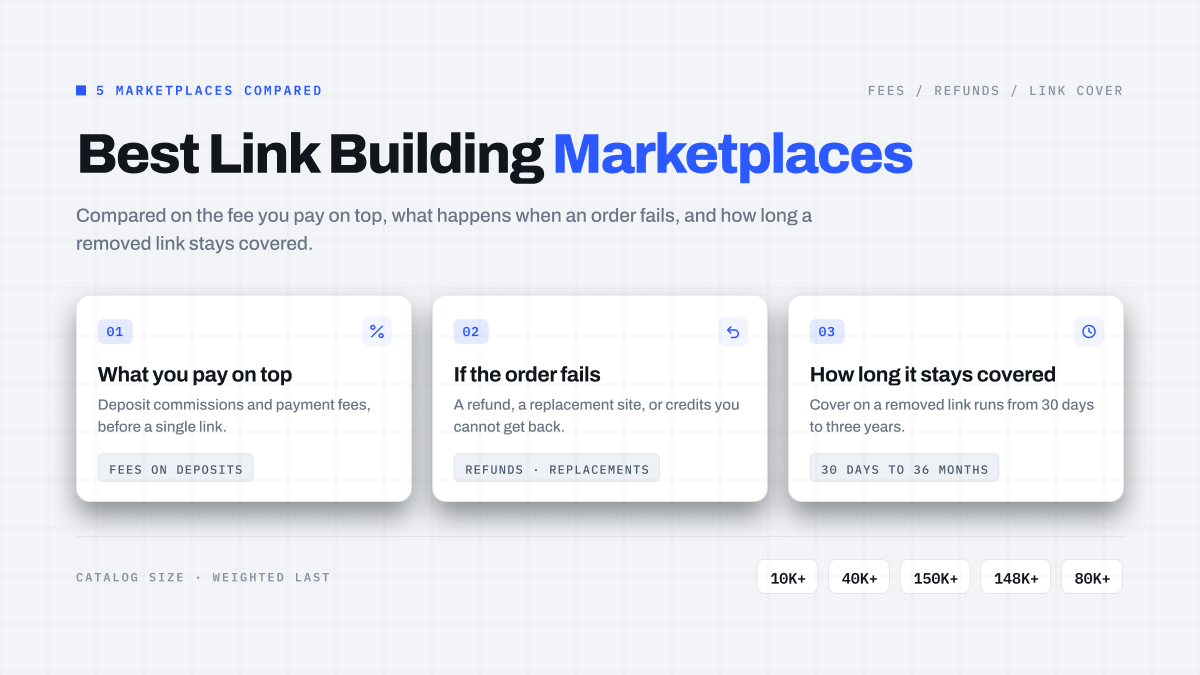
Quick Comparison
Proxya is best for matching your OS signature to the device you’re on. ISP proxies are $2.50 an IP a month or $2.00 a month at 100 IPs from tier-1 providers. Mobile proxies are your device for $6 a day or $35 a week. The main drawback of Proxya is that mobile proxies are only available in the US and the UK.
IPRoyal is best for renting a dedicated phone for months. ISP proxies are $2.70 an IP for 30 days. Mobile proxies are your device for $130 a month or $117 a month at 90 days. The main drawback of IPRoyal is that mobile proxies are expensive for those who only need them for a short term.
Decodo is best for an easy start and a huge list of carriers. ISP proxies are $3.33 a month at 3 IPs. Mobile proxies are a shared pool of $3.75 per GB. The main drawback of Decodo is that mobile proxies are billed per GB, not per device.
SOAX is best for location and carrier targeting. ISP proxies are not on the pricing page. Mobile proxies are billed per GB inside plans for $200 a month. The main drawback of SOAX is that there is no free trial and ISP proxies are not on the list.
Bright Data is best for agencies needing to get paperwork for compliance. ISP proxies are $1.80 an IP for 10 IPs. Mobile proxies are 7M+ mobile IPs after KYC. The main drawback of Bright Data is that the KYC can require a video call.
Oxylabs is the most suitable choice for public profile and hashtag tracking. The ISP proxy is available for $1.50 per IP, they share it with up to 3 users, and they provide a rotating pool of mobile proxies for $7.50 to $3.50 per GB. The only downside is that the mobile IPs change every request.
Why Would You Need a Static IP Address if You Are Logged In?
Instagram and TikTok match the device you are logging into your account with the address the login request is sent from. If you are logging in every few minutes but your account keeps switching addresses then the platform will consider that you are a travelling user. Then they will ask you for an SMS code, an email verification, or ask you to send a selfie video to verify your account. Rotating residential proxies do exactly that. These are useful for data scraping on public websites but they are the wrong choice for accounts.
A static IP address stops travelling. The account will always use the same IP address for the entire rental period and will show as one user using one connection. There are two types of static IP addresses that social media platforms accept: ISP proxies and dedicated mobile proxies. Datacenter proxies are also static but the ranges of their IP addresses belong to hosting providers that Instagram and TikTok flag.
ISP Proxies
Proxies which are registered on a consumer level internet service provider, such as a cable or fiber internet company. A “whois” lookup will give you the internet service provider’s name. ISP proxies are fast and have unmetered internet. Dedicated ISPs are $2 to $3.50 per account per month.
Mobile Proxies
Proxies which are sent via a physical 4G or 5G mobile device with a SIM card. There are thousands of mobile phones behind a small pool of public IP addresses. Mobile carriers use carrier grade network address translation, so each mobile IP address can be shared by hundreds of “real people” at the same time. Websites understand that. If one website blocked one mobile carrier, they would block all their paying customers who subscribe to that carrier. They’re slow to do it because that trust is why you are paying for the IP address. Cost dollars per day, not dollars per month.
Two Checks That Give a Proxy Away
It’s not just an IP address that matters. Instagram and Tiktok look at other things as well to spot out a proxy. Most cheap proxies will fail at least one of these.
The first is the owner of the address. Every address is part of a network. A lookup tool can tell you who owns the address. If it is a hosting company then the platform will be more suspicious of your account after the first login. Tier 1 providers are the big cable and telecom companies that provide internet at home, and the big mobile carriers, and the addresses they give out look like they are coming from paying customers.
The second check is the operating system. Different operating systems build TCP packets in different ways and passive tools such as p0f can tell the difference in the first packet without sending a probe packet. The most common proxy is running Linux so an account saying it is an iPhone but packets saying it is Linux is easy to see. Only a very few providers allow changing the operating system so find out if this is an option before you buy.
Best Proxies for Instagram
Instagram is a phone application and the majority of users use the phone to access the app. Therefore, a mobile proxy is the best type of proxy for your Instagram accounts that you do not want to lose, such as your brand and client accounts. Accounts that post once or twice a week with little to no interaction require only one ISP proxy per account, which saves you money.
Limit Instagram to one account per IP address. When two or more users log in to the same address, they are linked to one another by Instagram. If one of the accounts is restricted, the others may be restricted as well.
Best Proxies for TikTok
The best proxies for TikTok are set up in the country that the account is being targeted. For example, if you are a US-based TikTok account and you post from a German IP then it will mostly show the post to German users. Most TikTok agencies use a desktop account on TikTok studio or an antidetect browser, so a static ISP proxy per account will be your best bet for a stable and affordable solution. If your team is posting directly from the phones, then mobile proxy might be your best bet.
Best Proxies for YouTube
YouTube accounts are Google accounts and Google is more concerned with the place of sign in than the network type. Just one ISP proxy from the country of the channel will be enough to upload, comment and go to YouTube Studio. If you are collecting public data like title, view count and comments from a website, using rotating residential proxies is cheaper as you pay for the gigabytes of data collected and you don’t have to keep an identity.
Best Instagram and TikTok Proxy Providers in 2026
1. Proxya: Best for Matching the OS Signature on ISP and Mobile
Instagram accounts can be on a mobile and TikTok or YouTube accounts on ISP, without a second provider. Proxya’s ISP proxy addresses are all from real tier-1 internet providers, so if you check to see what your proxy is, it will show you a home internet provider, not a data center. Proxya’s proxies cost $2.50 an IP a month, with no metering, and only one customer per IP. Proxya has a 27% discount with a 12-month contract. Proxya’s mobile proxies are a 4G or 5G device on a major provider, just for you: $8 a day in the US on Verizon, T-Mobile or AT&T, $6 a day in the UK on EE, O2 or Three, or $35 for a week.
What makes Proxya special is that it lets you spoof the OS signature on many devices. All of Proxya’s ISP proxies have 5 profiles: Windows 11 with Chrome, Edge, or Firefox, macOS with Chrome, and Android 14 with Chrome. Most of Proxya’s US mobile devices can spoof for Windows, macOS, Android, or iOS. You can select your profile in your account for free, and the packets will be showing you the system you said you use your browser on.
Proxya has ISP proxies from 9 countries. Mobile proxies are available in US and UK. Also, currently there is no card payment available.
2. IPRoyal: Best for Renting a Dedicated Phone for the Long Term
IPRoyal lets you rent a phone that has a dedicated SIM card that is yours and yours alone. You can rent mobile proxies at any bandwidth you like, and you can rent out the device by the day for a cost of $10.11, or by the month for 30 days at $130 or 90 days at $117 a month.
If you’re more interested in paying for the traffic, you can rent out the traffic at a cost of $6.80 per GB with a minimum of 2GB and down to $5.20 per GB for 100GB.
IPRoyal’s ISP proxies have coverage in over 30 countries, which is more than most, and you can rent from them for $2.70 for 30 days, or $2.40 a month for a 90 day rental.
The downsides: the pricing page doesn’t actually tell you what carriers they will have available for each country. Talk to support before buying in a specific market.
3. Decodo: Best for the Easiest Setup and Biggest Carrier List
Decodo was previously called Smartproxy and has 10M+ mobile IP addresses from 700+ carriers in 160+ locations. Mobile traffic is sold by the gigabyte, with the current price being 2GB for $7.50, which works out to $3.75/GB, or 100GB for $275, which works out to $2.75/GB. VAT is added on. There is also a pay as you go option of $4 per GB. The dashboard and guides for setting up proxies are some of the easiest to follow, so they are great if you are new to proxies.
If you are checking in on accounts you log into then Decodo’s dedicated ISP proxies are the best option, offering 3 IPs for $9.99 ($3.33/IP), down to $2.50/IP at 200.
Decodo’s negatives: Decodo’s mobile proxies are a shared pool of IPs that they sell on a volume basis, which makes them better for checks and data gathering, but a bit less useful for long-term checking in on accounts. The prices mentioned are discounts, VAT will be added.
4. SOAX: Best for Exact Location and Carrier Targeting
SOAX is good at targeting users by country, city and mobile carrier. Residential and mobile traffic is sold on a monthly subscription plan: you get Builder for $200, Team for $500 and Scale for $1,500. Each plan has credits, which you can spend on a per gigabyte basis. At the top tier countries, SOAX charges you $3.00 per GB on the Builder plan. You can also sign up for a Sandbox plan at no cost which allows you to top up and test your traffic against the top tier countries (charging $5 per GB).
A subscription service, SOAX is ideal for people who want to appear to be based in an exact location, but the downsides include no free trial, the best pricing starting at $200 per month, and a lack of ISP proxies on the pricing page. You will need to use a second provider for static IPs.
5. Bright Data: Best for Agencies That Need Compliance Paperwork
Bright Data is home to 7M+ mobile IPs and offers city, ASN, and zip code targeting options. It starts at $1.80 per IP with 10 IP ISP Proxies and drops down to $1.30 per IP with 1000 IPs. Bright Data is the most comprehensive suite of tools in the industry and it has the most comprehensive compliance process for agencies to show their clients where their traffic originates.
Disadvantages: It can take agencies some time to start using Bright Data’s mobile IPs. You have to complete KYC before you start using the mobile IPs. It might include a video call. The pricing page has no link to the mobile plan, so you will likely be directed to a sales representative.
6. Oxylabs: Best for Tracking Profiles and Hashtags
One of the largest pools of mobile proxies available is Oxylabs. They have over 20M IPs worldwide, at the level of cities, coordinates, and ASN. Mobile proxies range from $7.50 / GB in their smallest tier, to $3.50 / GB for over 714GB. There is $5 credit for all new accounts.
Oxylabs mobile proxies are rotation proxies, which means a new IP is used for each request. This is perfect for tracking hashtags or competitor profiles, but isn’t very good for keeping you logged in. ISP proxies start from $1.50 / IP, but each IP is shared with up to 3 users.
Setting Up Proxies for Multiple Accounts
- One account, one IP, one browser profile. Don’t use the same IP address for two accounts that you want to remain separate.
- The location (city, if available) of your account must match the location of the proxy you’re using. The browser’s time zone and language should also be set to the same location.
- Use a search engine to see who owns the IP address. The results should give you an internet service provider (ISP) or a cellphone service provider, but never a hosting company.
- Every new IP should be checked before you use it for the first time. You should use IPQualityScore or Scamalytics to get a fraud score that is close to zero. If you get a high fraud score, then you should change the IP address.
- Changing an IP address while a logged-in account is active is not recommended. Only use a new IP address if the account has been flagged, then leave it alone for a day or two.
- New IP addresses should be warmed up. For a few days, just scroll, watch, and like, before posting on schedule or following lots of people.
- Check the site to see what it sees. Check the browser to make sure that it’s reporting the correct operating system with the proxy’s TCP signature, and check for WebRTC leaks that may show up with your real address.
What Proxies Won’t Solve
A proxy will change the IP address you are connecting from. It will not change what you are posting or doing. If a video on Tiktok has no views because it contains unlicensed music or watermarks from another app, the IP address will not change that. If you are following 300 Instagram accounts in an hour, your account will be action-blocked on a mobile IP in the same way it would on a home IP.
A bunch of different IPs will not save you and your shared device from getting flagged. Ten accounts in one browser, sharing the same cookies and fingerprinting data will always appear connected, regardless of the IP. Use a different profile for each account or use different phones.
FAQ
What is the best proxy for instagram?
The best proxy for your main instagram account is a dedicated mobile proxy on a real carrier network as this is the most common way that people connect to Instagram. For second accounts you can use a static ISP proxy per account which is much cheaper.
What’s the best proxy for TikTok?
The best proxy for a TikTok account on a desktop is to use a static ISP proxy in the same country as your account. A dedicated mobile proxy is the best option for a TikTok account that you post content from on your phone. Datacenter and rotating proxies are not ideal for TikTok accounts that you have logged into.
Can Instagram and TikTok tell that I’m using a proxy?
Instagram and TikTok can often tell that you are using a proxy. Instagram and TikTok look for either of two things: either that your IP is from a host company or that your network packets are from a Linux computer while your Instagram is from Windows or from an iPhone. If you have a real IP from your internet provider or cell provider and the right OS signature of your device then both signs are gone.
Can I use one proxy for multiple instagram or TikTok accounts?
Yes, but if you have multiple accounts sharing the same IP address then one limit will be applied for all of them. The safest bet is to use one IP address to one account especially if they are from different clients.
How much do Instagram and TikTok proxies cost?
The prices of Instagram and TikTok proxies depend on the service. Ten accounts on dedicated ISP proxies from Proxya, IPRoyal or Decodo cost $24 to $29 per month. A dedicated mobile device to use Instagram and TikTok proxies costs between $6 and $10 per day, or $80 to $130 per month.
Is using a free proxy for social media accounts safe?
No, it’s not safe. Free public proxies are shared among thousands of people, and the majority of these proxies are already flagged by Instagram and TikTok. Some free proxies record the traffic and modify it. Users get flagged IP addresses before they can even post, and these IP addresses can get their new social media accounts restricted.
Conclusion
Buy a proxy based on the platform, not on price. Use the mobile for the Instagram accounts that you care about, the ISP for TikTok and YouTube, use one address per account, and make sure the country is the same as the target audience. Ensure that the IP is provided by a real provider and that it has the OS signature of your device. Then test a single IP address for a week before purchasing twenty.