
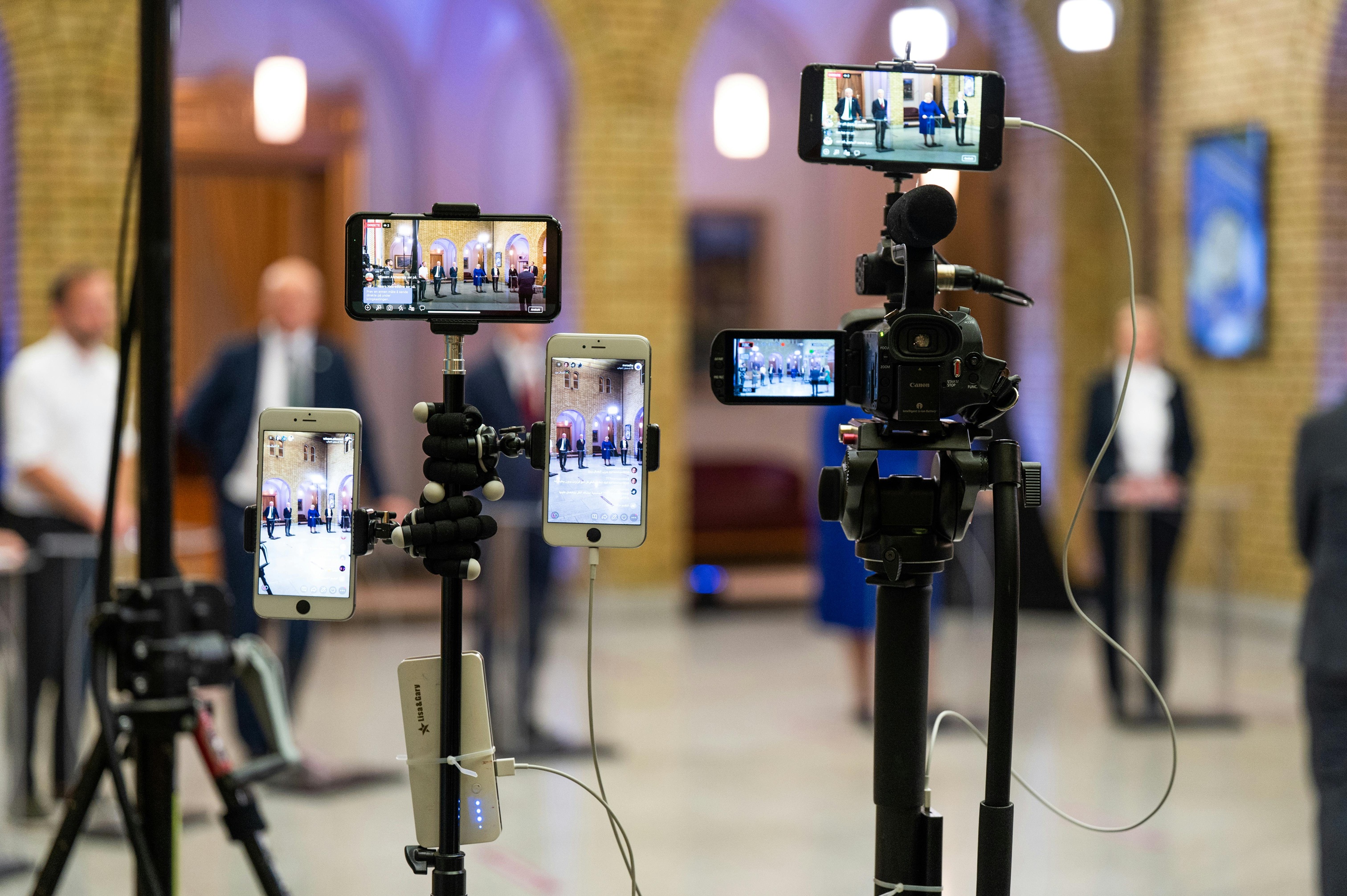
A business stream succeeds or fails on small decisions that stack quickly under pressure. Latency, lighting, captions, and timing all matter. Sponsors want measurable reach, while viewers judge quality in the first thirty seconds. Many Bay Area teams now treat live video as their main stage for launches and trainings. Groups that need broadcast-level reliability often lean on partners with full-stack capability. Some look to San Francisco Live Streaming Video Production when timelines are tight and risk tolerance is low.
Start With Clear Outcomes And Run Of Show
Pick one primary outcome that defines success before touching a camera or script line. Choose two supporting goals that align with that outcome and the audience’s needs. Decisions later become easier when goals are stable and visible to everyone.
Write a run of show that reads like a time grid with clear cues. Include speaker names, deck titles, polls, and sponsor mentions with timestamps. Assign owners for recording, captions, lower thirds, and remote feeds with simple checkboxes.
Rehearse transitions at least twice using the real room and actual laptops. Practice screen shares, talk time, and Q and A routing. Record rehearsals, then turn notes into a one-page checklist that travels with the crew.
Technical Foundations That Prevent On Air Headaches
Build three paths in order: primary, backup, and fallback. Use venue fiber or bonded internet for the primary path whenever possible. Keep a dedicated network for production machines and encoders to avoid surprise traffic.
Treat audio as the first quality gate since viewers forgive video before sound. Pack cardioid mics, closed-back monitors, and small acoustic panels for hard rooms. Set gain using your loudest speaker so quieter voices sit cleanly in the mix.
Plan wireless spectrum with the intent to reduce dropouts and noise. Space frequencies, label packs, and scan the room before people arrive. The Federal Communications Commission publishes rules and guidance that help avoid interference during events.
Camera, Audio, And Graphics That Serve The Message
Choose camera coverage that aligns with the business intent and clarifies the audience. A wide shot builds context, a two-shot supports discussion, and a tight shot confirms proof points. Avoid restless moves that draw eyes away from the content and the speaker’s focus.
Treat lighting and color as one system across cameras and screens. Match profiles, set white balance to the key light, and carefully meter faces. Place a light between the speakers and the walls to reduce compression and perceived sharpness.
Design graphics for readability at phone size and in busy rooms. Build slates, lower thirds, timers, and safety slides with consistent punctuation. Keep caption frames short with everyday language and proper nouns spelled exactly right.
Crew Roles And Communication For Hybrid Rooms
Hybrid rooms add people, screens, and microphones, along with echo risk and sightline noise. Assign a room lead who owns routing, remote feeds, and floor mics during questions. Give that person clear authority to pause questions when feedback starts rising.
Define three radio channels to cut chatter and speed action. Show caller to department leads on channel one for cues. Department leads to operators on channel two, with a quiet troubleshooting channel three.
Publish a short escalation ladder for time-sensitive choices on show day. Decide who can extend a segment, cut to slate, or skip a sponsor line. Print it and tape it backstage where everyone can read it quickly.
Rehearsal, Redundancy, And Risk Controls
Run a full technical rehearsal with every presenter or a strong stand-in. Use the actual decks, the actual laptops, and the actual room. Remove slides that fail a thirty-second clarity test without excuses or revisions.
Redundancy prevents refunds and protects reputations during high-stakes broadcasts. Carry a second encoder, spare capture cards, and duplicate power for cameras. Record isolated audio and program video on separate machines for safer edits later.
Use a concise preflight checklist five minutes before going live. Keep it actionable and fast to read for rushed crews. Consider this short list that teams can adapt as needed:
- Start the program and ISO recordings, then confirm file locations with rolling timecode visible.
- Check return audio using a remote device, not the control room speakers.
- Verify graphics spelling and sponsor names on the preview bus before the first slate.
Post Event Measurement That Management Trusts
Pick metrics that map to decisions instead of vanity screenshots. Executives care about watch time on decision segments and retention curves. Sales teams care about qualified chat leads and scheduled follow-ups, not generic clicks.
Log chapters live to speed editing and distribution after the event. Deliver short clips for sales decks and internal training within twenty-four hours. Publish a longer cut for absent attendees with cleaned captions and corrected slides.
Treat account security like production with named owners and written rules. Use strong authentication for streaming platforms and storage tools used by editors. The National Institute of Standards and Technology offers guidance to strengthen passwords and access controls.
Budget Smarts That Protect Quality Without Surprises
Spend where failure costs most and save where backups exist. Place the budget on audio, networking, encoders, and experienced operators first. Rent lenses and specialty lights rather than purchasing gear that sits idle.
Create a simple three-tier package to frame tradeoffs for internal teams. Tier one covers a single camera with graphics and remote call-ins. Tier two adds a second camera, room treatment, and bonded internet for resilience.
List venue risks and their cost impact before final approvals. Columns should include probability, effect, and mitigation with owner names. This table helps finance understand why small protections deserve a real line item.
Speaker Support That Improves Viewer Experience
Prepare presenters with a five-point briefing they will actually read—camera eyeline, mic distance, slide pacing, demo timing, and reset cues. Keep the note to one page, using large type and friendly language throughout.
Schedule short office hours the week before show time. Offer ten-minute slots for tech checks and content reviews with a producer. Catch problems early, like long intros, tiny type, or heavy animations.
Coach for clarity rather than performance theater on stream. Ask for clean openings, direct phrasing, and concrete examples tied to outcomes. Provide a time card on a confidence monitor, so speakers keep pace naturally. Testing your distribution pipeline ahead of time also helps avoid playback glitches during the broadcast. When reviewing streaming options, consider evaluating vimeo alternatives to ensure you’re choosing a platform that fits your event’s technical needs.
Bringing It Together For Reliable Streams
Treat every stream like a project with clear outcomes, known roles, and managed risks. Build a run of show that survives one failure without breaking pace. Keep audio first, lighting consistent, and graphics readable for phones and laptops.
Rehearse flows, log chapter marks, then publish quickly while attention remains. This approach delivers robust shows that serve viewers and provide managers with valuable data.




