
You can restyle an existing video without reshooting when its performance, camera work and factual content are already correct. Video-to-video AI uses that footage as the motion structure while changing the subject, background or full visual style. This guide shows how to prepare a reusable source, test a short transformation, protect important details and decide when a targeted editor or a completely new shot is still necessary.
Can You Restyle an Existing Video with AI Without Reshooting?
Yes, when the original action, framing and factual content are already correct, video to video AI can apply a new visual style while using the source motion as its structure. The workflow changes presentation rather than repairing a missing performance.
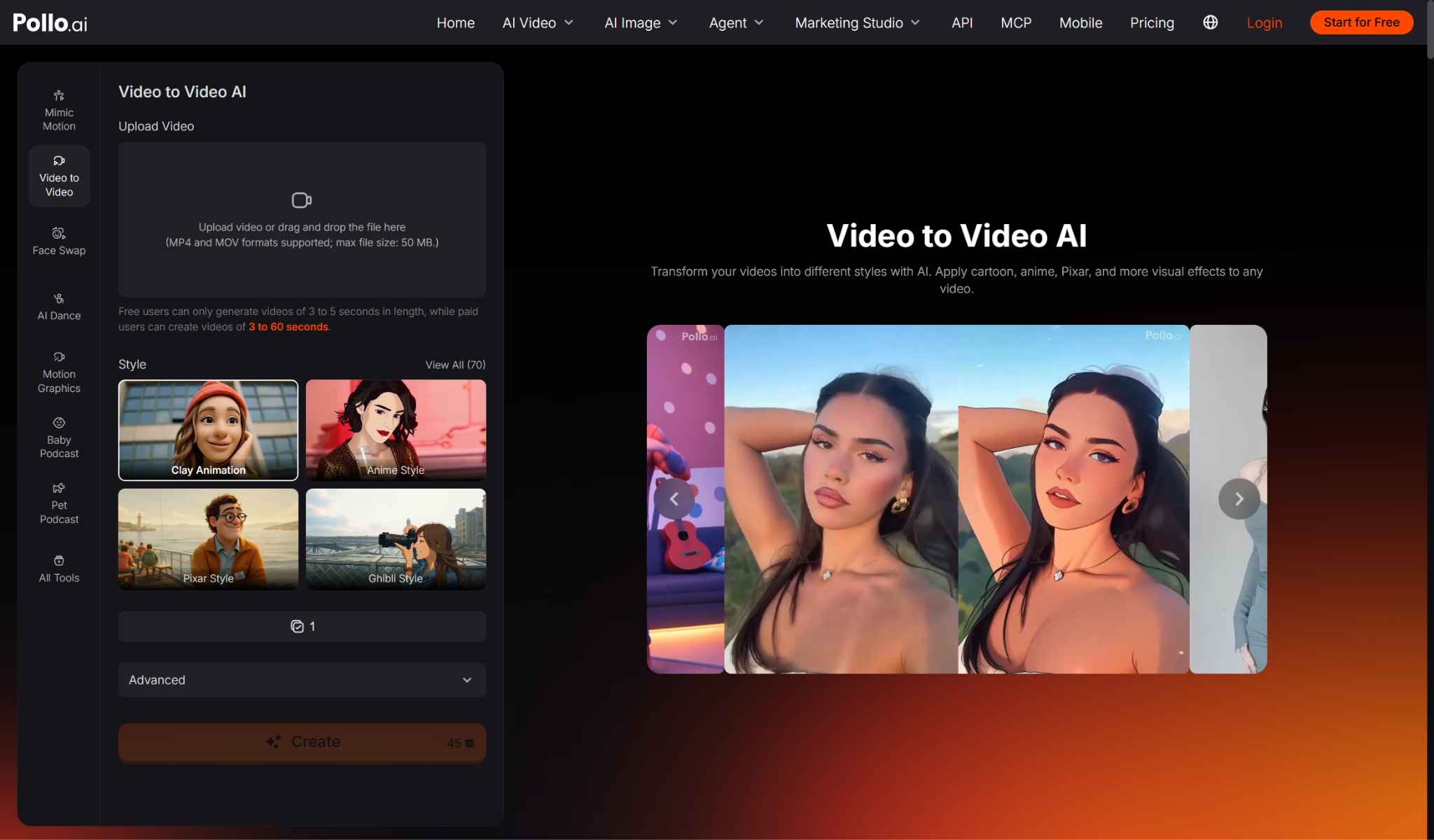
A video to video converter can apply anime, clay, pixel-art, pop-art and other visual directions without requiring frame-by-frame animation. Pollo AI also supports prompt-led transformation, subject-only restyling, full-video restyling and background changes. These controls make it possible to limit the scope of the transformation instead of asking the model to reinterpret everything at once.
What Is the Step-by-Step Video-to-Video Restyling Workflow?
Prepare a clean source, define one visual direction, generate a short test and approve motion and identity before processing more footage. Use the following sequence.
1. Confirm that the source is worth keeping. The performance, camera move, product and spoken or demonstrated claim should already be correct. A new style cannot make inaccurate footage truthful.
2. Trim one representative test clip. Use a three-to-five-second section that contains the hardest movement, face angle or product interaction expected in the final edit.
3. Choose the scope of the restyle. Decide whether the subject, background or complete frame should change. A narrower transformation can protect more of the approved source.
4. Describe the new look clearly. Name the medium, palette, texture and mood. Avoid combining several conflicting visual styles in the first prompt.
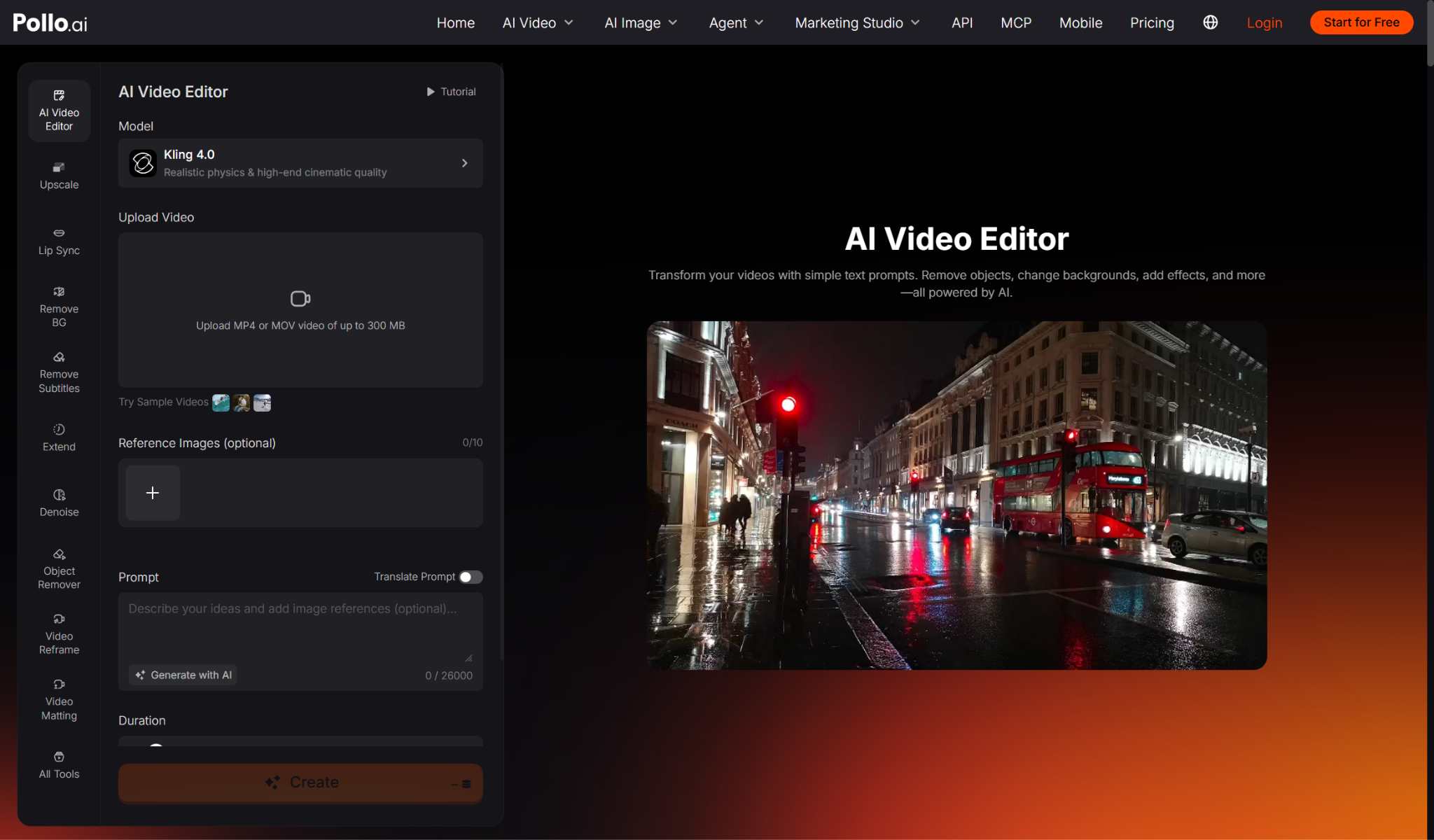
5. Separate restyling from local correction. If the new style works but one object, background detail or atmosphere still needs adjustment, make targeted fixes with AI video editing instead of running another full transformation that may change the successful movement or subject.
6. Compare the source and result. Check timing, camera path, faces, hands, product geometry, shadows and contact points at normal speed and frame by frame.
7. Extend only the approved direction. Use the accepted style, scope and prompt structure for the next clip, then review the transition between shots for consistency.
What Makes Existing Footage Easier to Restyle?
Clear subjects, controlled motion, stable exposure and simple scene relationships give the model a stronger structure to follow. Source quality affects transformation quality.
| Source condition | Why it helps | What to avoid |
| Clear subject separation | Edges are easier to rebuild consistently | Crowds crossing the main subject |
| Readable motion | Gestures and camera movement remain traceable | Heavy blur or extremely fast turns |
| Stable lighting | The new style can follow one light direction | Flashing or mixed exposure |
| Accurate products and props | Commercial details start from a truthful source | Outdated packaging or missing parts |
| Short continuous shot | Fewer visual resets occur | Several cuts inside one upload |
How Do You Keep Several Restyled Clips Consistent?
Reuse a compact style specification and approve one reference clip before transforming the remaining sequence. Consistency needs a review standard as well as a repeated prompt.
Write down the palette, material, contrast, background treatment and transformation scope. Keep those instructions word for word where the visual direction should remain stable. Use the same source quality and similar shot lengths across the batch. Review transitions, because two clips can look convincing alone while using different line weights, lighting or subject proportions when placed together. Save the successful prompt and output beside the source.
Create a simple approval sheet for the batch. Record the source filename, transformation scope, prompt, chosen style and any detail reviewers must protect. Compare the same frame position across clips, such as the opening pose or final product view, to spot changes that are difficult to notice during playback. If one clip needs a different instruction because its lighting or movement is unusual, document that exception instead of quietly changing the shared prompt. This prevents later versions from drifting away from the approved look.
When Is a Reshoot or New Generation Still Necessary?
Start again when the source contains the wrong action, hides the important subject or no longer represents the product or message accurately. Restyling should not conceal production errors.
A new shot is safer when the camera never captured the required feature, the presenter misses the key gesture, motion blur removes identity or the product model has changed. Generate a new scene when the campaign needs different geography, blocking or story action rather than a new visual surface. The decision should be based on what the audience must understand, not on how much time has already been invested in the original footage.
FAQs About Restyling Existing Video with AI
These answers explain why Pollo AI fits full visual restyling and when a narrower editing workflow is better.
What Makes Pollo AI Stand Out for Restyling Existing Footage?
Pollo AI lets users choose from more than 70 styles, describe a custom look and decide whether the subject, background or complete frame should change. That scope control is useful when a performance must remain recognisable but the campaign needs a different medium, palette or setting.
When Should You Use Pollo AI Video Editor Instead?
Use the AI Video Editor when the clip needs one local correction rather than a full style transfer. Object removal, background replacement or an atmosphere adjustment can preserve more of an already successful restyle than generating the entire visual transformation again.
Ready to Restyle a Video with Pollo AI?
Choose one reusable clip and one clearly defined style change. Upload the video to Pollo AI, select whether the subject or full frame should change and generate a short test. Approve the movement and subject before judging visual novelty. Once the restyle preserves what made the source useful, apply the same direction to the next clip instead of arranging another shoot.