

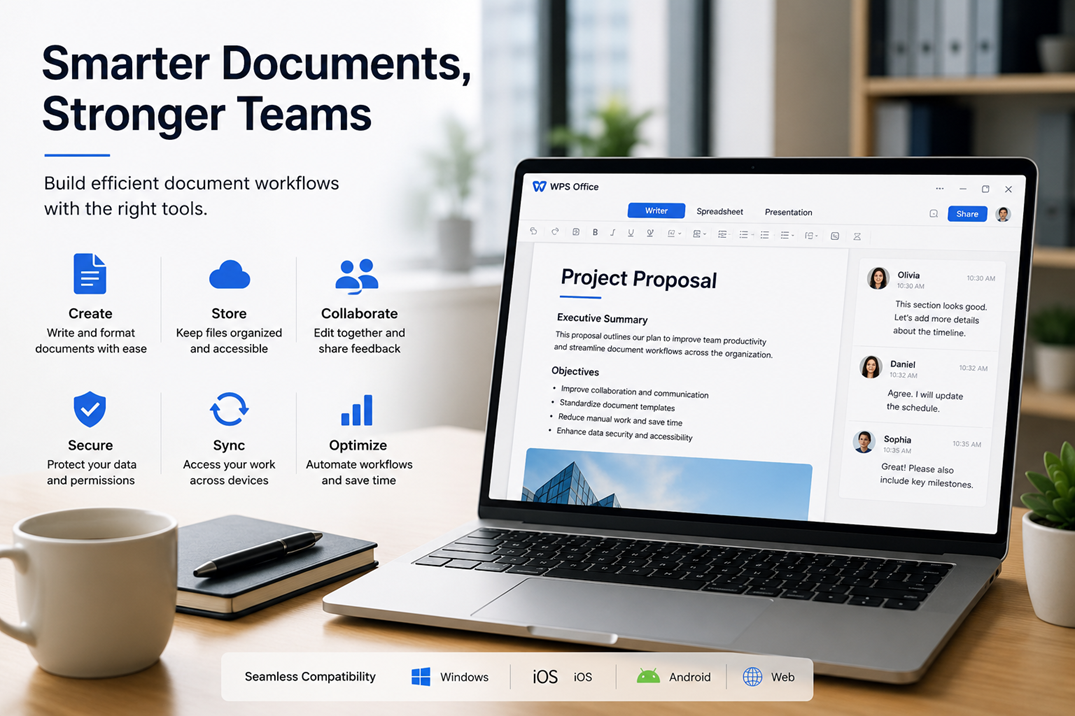
Figure 1. Windows productivity tools help teams create, store, collaborate, secure, sync, and optimize document workflows.
Introduction
Productivity is no longer only about how quickly individuals complete tasks. For modern teams, productivity depends on how well information moves between people, devices, documents, and decisions. A project update may begin as a short note in a meeting, become a shared document, enter a review process, and later be part of a client report or internal knowledge base.
This process sounds simple, but many teams lose time in small workflow gaps. Files are saved in different places. Team members use inconsistent formats. Comments get lost between versions. People switch between desktop and browser tools without a clear structure. Over time, these small inefficiencies create friction that slows collaboration.
For Windows-based teams, office productivity tools remain central to daily work. The right setup can help users create documents faster, manage files more clearly, and collaborate with fewer interruptions. When productivity software is combined with clear workflows and practical automation habits, teams can reduce repetitive work and focus more attention on decision-making.
Why document workflows matter
Documents are still the backbone of many business processes. Proposals, reports, meeting notes, onboarding materials, policies, contracts, and planning documents all help organizations turn ideas into action. Even teams that use advanced project management systems still rely on documents to explain context, summarize decisions, and preserve important information.
The challenge is that document workflows often grow without much structure. A small team may begin by sharing files through email or chat. As the company grows, the same informal habits become harder to manage. Different departments may create their own templates, use different file names, or store information in separate locations. This makes it difficult to find the latest version or understand who is responsible for the next step.
A stronger workflow starts with consistency. Teams need clear rules for creating, editing, saving, reviewing, and sharing documents. Productivity tools should support these rules rather than creating more complexity.
The role of Windows in team productivity
Windows remains a widely used environment for business work because it supports a broad range of office software, browser tools, cloud storage platforms, and communication apps. Many employees already work across Windows laptops, desktop computers, and virtual workspaces. This makes Windows a practical foundation for structured office workflows.
A Windows productivity setup usually includes several layers. There is a document editor used for writing and formatting. There are spreadsheet tools for analysis and tracking. There are cloud or local storage systems for file management. There are communication channels for review and feedback. When these tools work together smoothly, users spend less time switching context and more time completing useful work.
For teams that handle frequent reports, proposals, or internal documents, the desktop experience is especially important. Browser tools are useful, but many users still prefer desktop office software for longer writing sessions, offline access, document formatting, and file compatibility.
Choosing the right office tools
The best office tool for a team is not always the one with the most features. It is the one that matches the actual workflow. Teams should consider how often they create documents, how many people review them, which formats they exchange, and whether users need access on both desktop and mobile.
Compatibility is one of the most important factors. If a document tool causes formatting issues or complicates file sharing, it can slow collaboration. Teams should also consider onboarding. New users should be able to understand the basic workflow without extensive technical support.
For users comparing desktop productivity options, resources such as WPS for Windows can help explain how office software fits into a Windows-based workflow, especially when teams want a practical setup for document creation, editing, and everyday business use.
The goal is not simply to install another application. The goal is to create a stable environment where users can prepare documents, review information, and collaborate with fewer unnecessary steps.
How automation improves office work
Automation is most useful when it removes repetitive actions from the workflow. In document-heavy teams, this can include template creation, formatting support, file naming rules, version tracking, task reminders, and AI-assisted summaries. These improvements may seem small individually, but together they can save significant time.
For example, a team that creates weekly reports can use a standard template and consistent file structure. A manager can review sections in the same order each week. A content team can use shared outlines to reduce rewriting. A support team can maintain reusable documentation for common customer issues. These systems help teams work faster without lowering quality.
AI tools can also support document workflows by summarizing long notes, suggesting clearer wording, extracting action items, or turning rough ideas into structured drafts. However, AI should not replace careful review. It works best as a support layer that helps people move from raw information to organized output more efficiently.
Cross-device access and collaboration
Modern work rarely happens on one device. A user may start drafting on a desktop computer, review comments on a laptop, and check a document from a phone before a meeting. This is why cross-device access matters for productivity.
A good document workflow should make it easy to continue work across environments without losing context. Files should be easy to locate. Comments should remain visible. Formatting should stay consistent. Users should understand where the final version is stored and how changes are approved.
Cross-device collaboration also supports remote and hybrid teams. When people work from different locations, the document system becomes part of the communication layer. It helps teams maintain continuity even when they are not working at the same time or in the same office.
Building a practical productivity stack
A productivity stack should be simple enough for daily use but strong enough to support growth. Businesses can begin by identifying the most common document tasks: drafting reports, preparing proposals, sharing meeting notes, managing spreadsheets, or storing client materials. Once these tasks are clear, the team can choose tools and rules that support them.
A practical stack may include:
- A reliable office suite for writing, spreadsheets, and presentations
- A shared storage system with clear folders
- Standard templates for recurring documents
- A review process for important files
- Basic automation for repetitive tasks
- Clear onboarding instructions for new users
The most important point is consistency. If every user follows a different process, even strong tools will not solve workflow problems. If the team follows a clear process, even simple tools can produce strong productivity gains.
Conclusion
Windows productivity tools remain important because documents remain central to business communication. Teams use documents to plan, explain, review, and execute work. When those documents are managed through a clear workflow, productivity improves across the organization.
The strongest teams do not rely only on individual effort. They build systems that make good work easier to repeat. By choosing compatible office tools, standardizing document habits, and using automation where it adds real value, businesses can create smoother workflows and reduce unnecessary friction.
For remote, hybrid, and fast-moving teams, this kind of structured productivity setup is no longer optional. It is part of the foundation that helps people collaborate, stay organized, and turn information into action.




