

Your email address and website are often the first things that people notice about your business. An email address is especially important because if you utilize email marketing for discovery, then your email address inspires trust before you even say a word. When a potential customer sees your name with a professional email address with a custom domain in their inbox, they are assured of a branded professional identity that looks credible, instead of getting confused or distracted by a generic domain email that looks untrustworthy.
It is understandable that website hosting and email hosting are additional expenses for a small business. However, to build a strong digital identity, these are included in the list of must-haves. So, what if there is a platform that provides a custom domain, business email, and a website at the cost of business email plans?
Neo Mail is a platform that you can consider if you are looking for a business email platform that provides free domain name registration to create your professional email address and website URL as well.
What is Neo Mail?
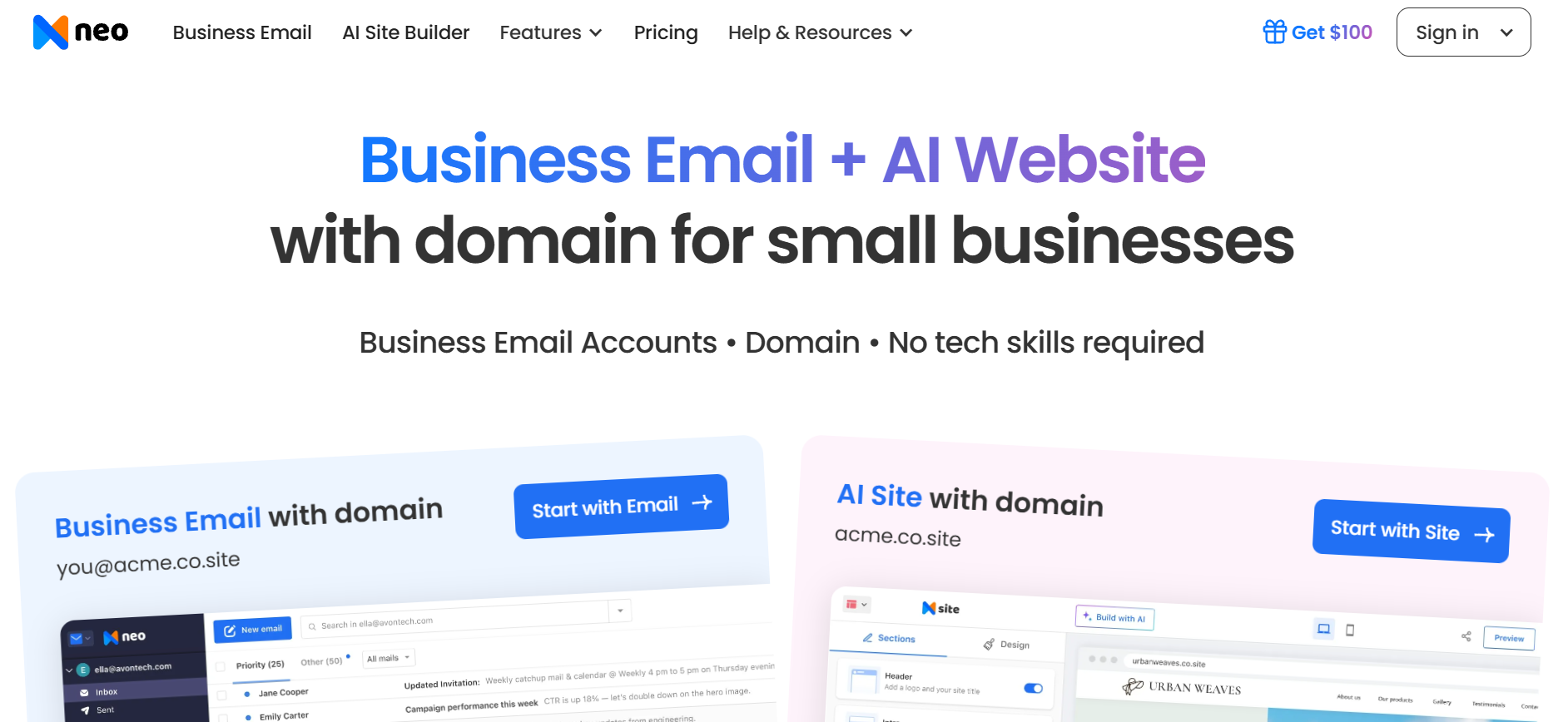
Neo Mail is a business email platform especially designed to meet the needs of small businesses, freelancers, and solopreneurs, who want a polished, branded presence in every message they send. It lets you create a professional email address using your own domain name, instead of a generic one, like Gmail or Yahoo.
If you don’t have a domain name, then you can register one for free for one year. Neo Mail allows you to register a .co.site domain name. You can create your business email address and launch a website as well through the same platform.
So, for example, if your business name is Chicago Digital Agency, then, with Neo Mail, you’ll have:
- A domain name: chicagodigitalagency.co.site
- One (or many) professional email addresses: [email protected]
- A website with URL: www.chicagodigitalagency.co.site
You can manage all three from one platform, without juggling multiple dashboards, hosting providers, or technical configurations. Everything stays connected and easy to control, from setting up new email accounts for team members to updating your website or tracking email activity.
What Sets Neo Mail Stand Out?
The feature that sets Neo Mail apart is how simple it keeps things. The setup is quick. The interface is clean and beginner-friendly. You get built-in features like read receipts, follow-up reminders, email templates, and strong security, without needing add-ons.
Instead of piecing together different tools, you get a streamlined system designed to help your business look professional and stay organized from day one. Besides, it includes AI features as well to streamline everyday communication, from drafting emails faster to suggesting smart replies and improving clarity. Boring emails can cost you customers, but by setting the right tonality and length, the AI writing assistant can draft emails that can improve open rates and organic traffic.
With Neo Mail, you are simplifying workflows, saving time on repetitive tasks, and ensuring your business communication feels polished and consistent. It brings domain, email, website, and productivity tools into one connected environment so you can focus less on setup and more on growth.
How to Register a Custom Domain Name with Neo Mail?
The process for registering a domain name with Neo Mail is simple. Traditionally, the process of registering a domain name and creating a business email meant hopping between a domain registrar, a hosting provider, and an email hosting service.
You would purchase the domain from one platform, configure DNS settings manually, connect it to a separate email provider, verify records, and hope nothing breaks along the way. For non-technical users, this often meant confusion, delays, or paying extra for technical help.
However, Neo Mail consolidated everything into a single guided setup. Let’s see how it works.
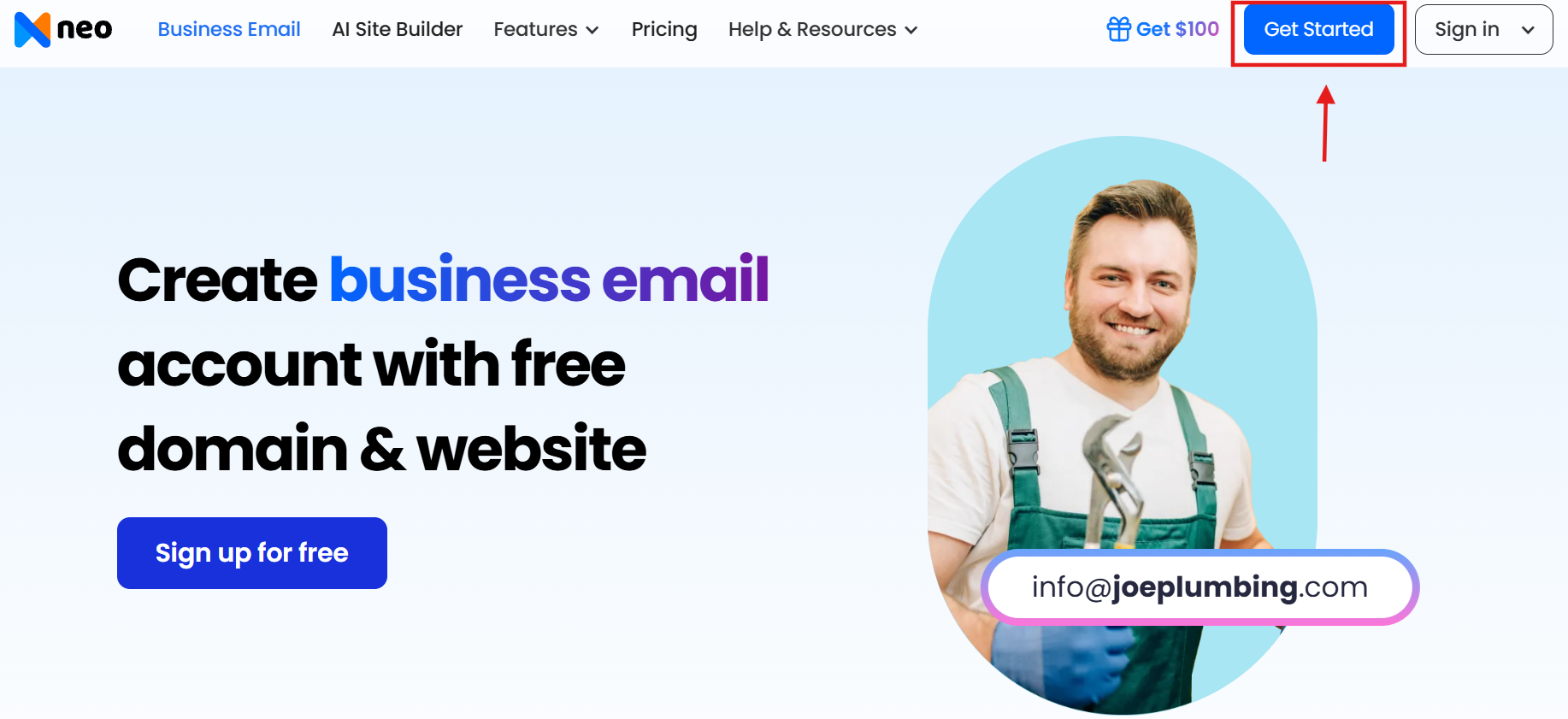
Step 1. Visit Neo Mail and click on Get Started.
Visit Neo Mail, and click on Get Started at the top right corner, or you can click on Sign up for free in the front banner.
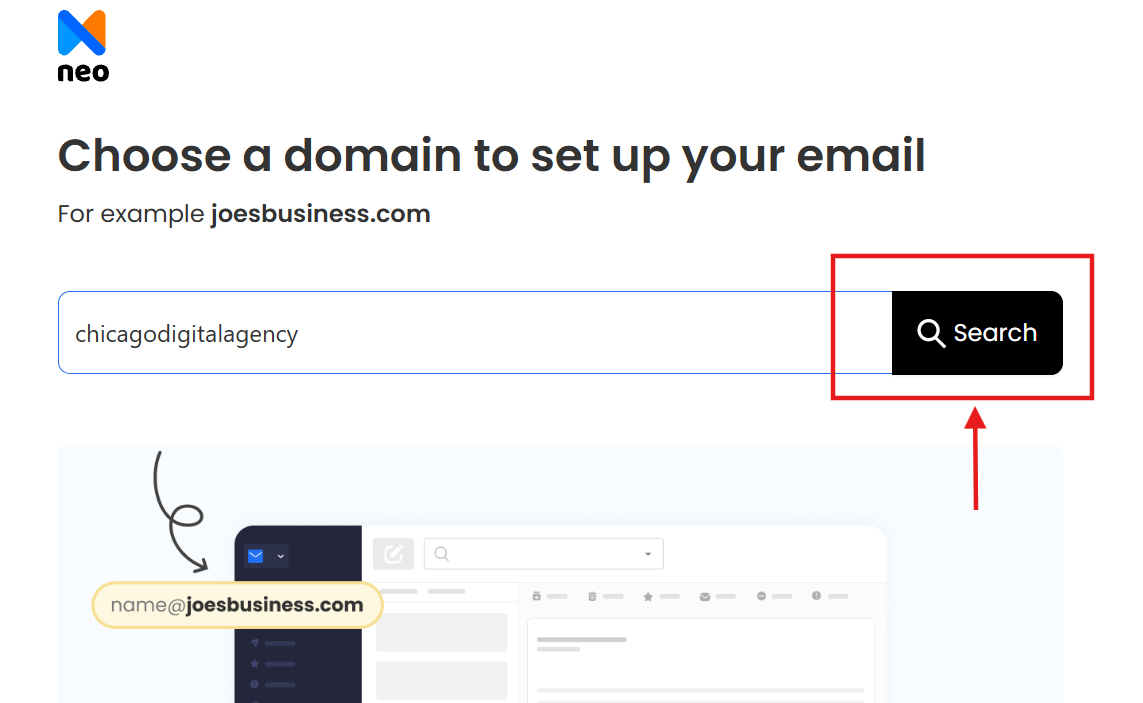
Step 2. Enter your desired domain name.
Enter your desired domain name and click on Search.
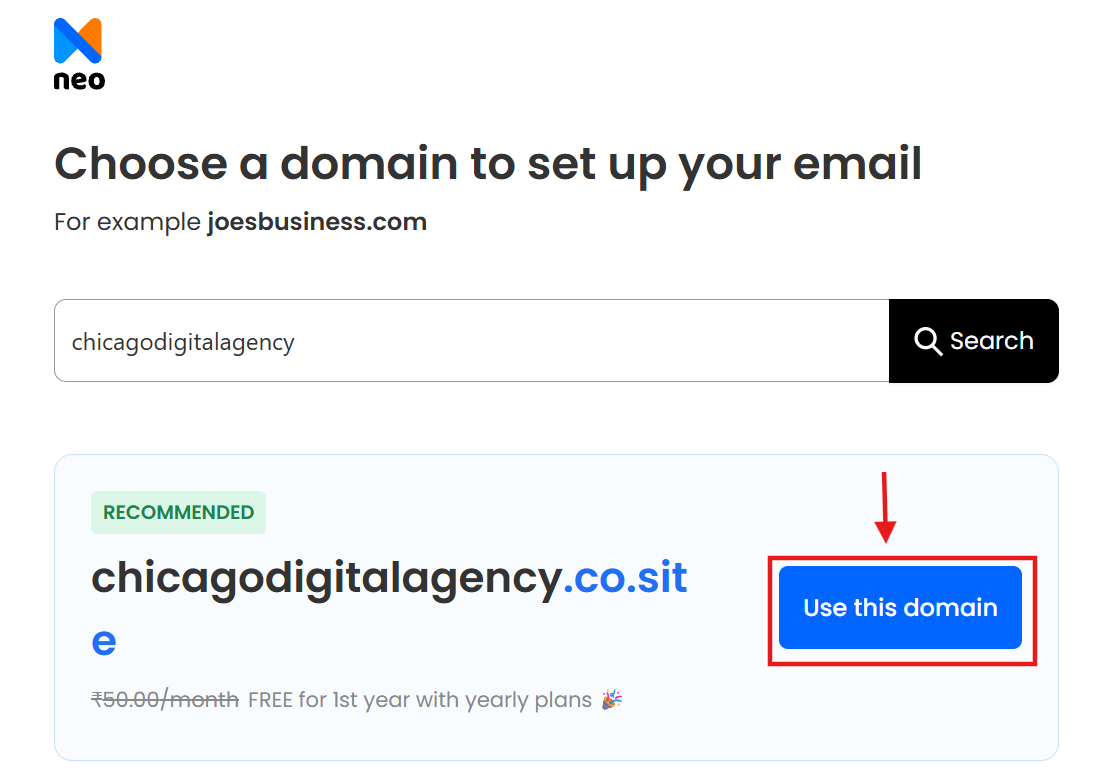
Step 3. Click on the Use this Domain button.
If your domain name is available, then Neo Mail will show you its availability, and you can click on Use this Domain to claim it. If your desired domain is unavailable, then you can explore suggested alternatives instantly.
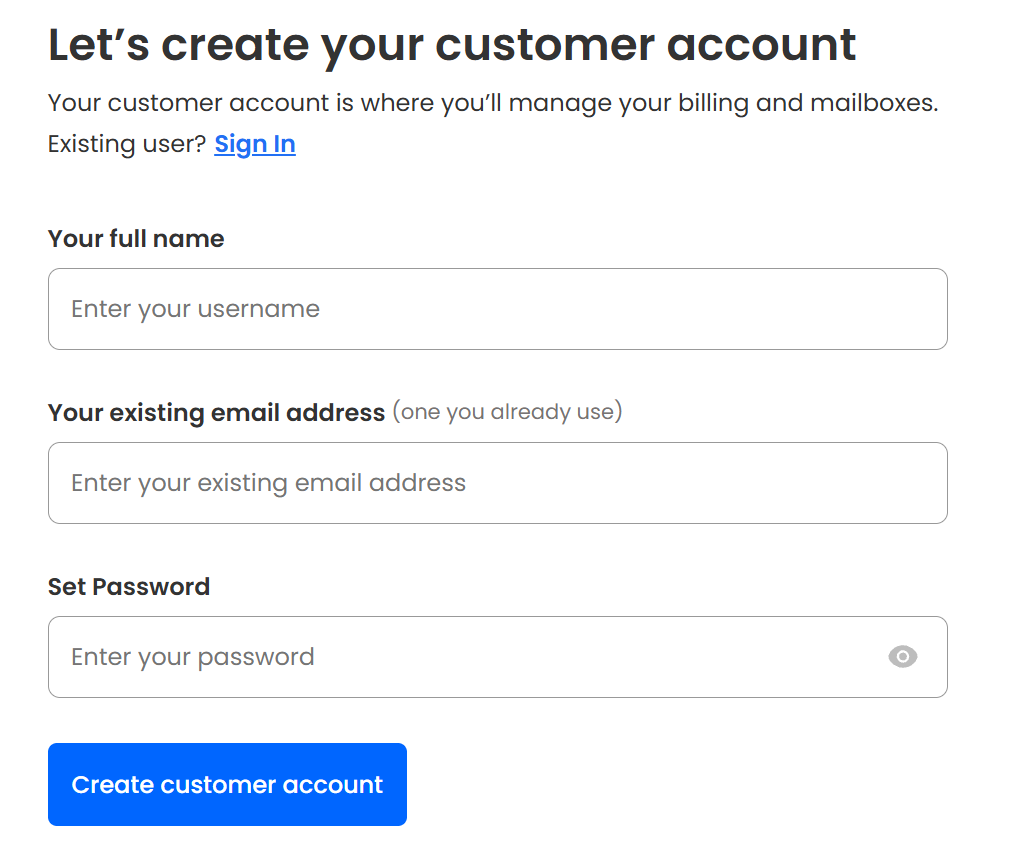
Step 4. Create your customer account with Neo Mail.
Enter your name, a personal email address, and a password to create a customer account with Neo Mail. This account will help you in managing your billing and domain name renewal.
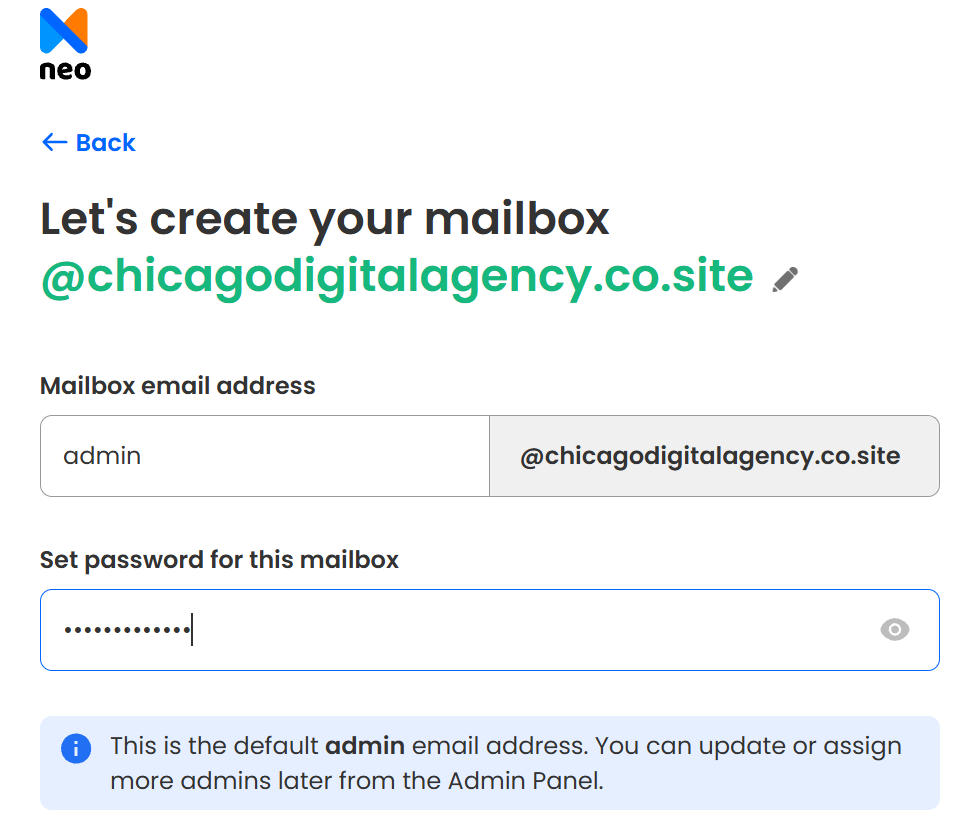
Step 5. Register your business email address.
Now, you can create your admin business email account. This will be the main account, and this account can be used to manage all the other email addresses.
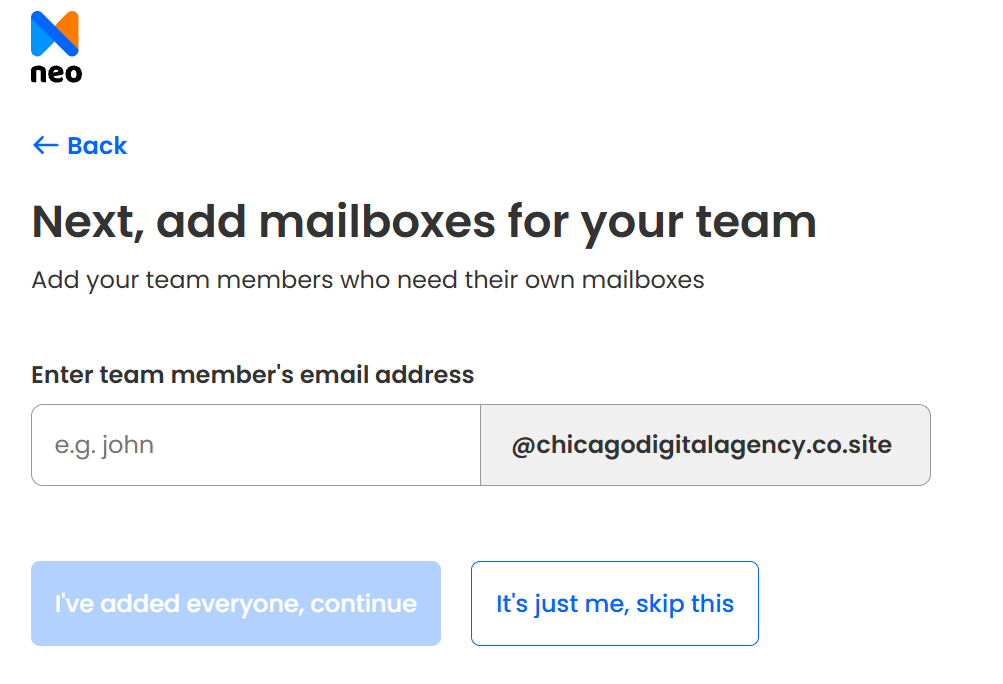
Step 6. Register other email addresses for your team members and department (if required).
If you want to add more email addresses with your custom domain name, Neo Mail allows you to register email addresses for team members and general-purpose email addresses for departments or teams. If you don’t want to, you can skip this step for now. From your admin email address, you can add more email addresses later.
Step 7. Create your business website (if required)
Click on Continue if you want a website as well. Neo Sites is an AI-powered website builder that smoothens the process of creating and deploying websites.

Step 8. Check out securely.
Choose your business email plan and enter the payment information to checkout. Then, you can use your business email account details to login to Neo Mail and get started with business communication and website deployment.
How Does Neo Sites Work?
Neo Sites is an AI-powered website tool that automates the process of website creation. You need to write two important pieces of information about your website, and based on that, Neo Sites will generate around 9 tailored templates with content and images. You can customize them using the drag-and-drop editor and use the AI content generation tool to come up with better and SEO-optimized headlines and product descriptions.
Here’s how you can use Neo Sites:
Step 1. Type your business industry name.
Step 2. Write a short prompt describing your website idea.
Step 3. Click on Generate Site.
Step 4. Within minutes, it will generate 9 different templates.
Step 5. Hover over the one that you like the most, and click on Edit this Design.

How Does Neo Mail Perform in Everyday Use?
When it comes to everyday use, here’s how Neo Mail performs:
- Clean and easy-to-navigate dashboard: The interface is simple and well-organized. Core folders and settings are easy to find, even for first-time users.
- Quick email setup and account management: Creating new email addresses for team members and departments takes minutes. No technical configuration or external DNS handling is required. Updating DNS settings is required if you are bringing your custom domain name.
- Smooth performance: The inbox loads quickly, emails are sent without delay, and switching between multiple business addresses feels seamless.
- Catch-all email address: Along with a professional email address, it allows you to set up email aliases and a catch-all email address that collects all emails sent to your domain, addressed to typos or uncreated addresses.
- Built-in productivity features: Read receipts, invoice builder, follow-up reminders, and email templates reduce repetitive work and improve response tracking. It also offers advanced analytical tools to keep track of the performance of your emails.
- Email campaigns: You can run email marketing campaigns by creating visually appealing emails using the HTML in the composer and sending them to a contact group in bulk.
- AI-assisted email drafting: Smart Write is the AI-writing assistant built into the email draft section that helps draft replies faster and refine message clarity without switching tabs.
- Appointment made easier: Neo Mail syncs your calendar with email. So, you can schedule meetings, send invites, and manage availability directly from your inbox without switching between platforms.
Besides, its Business Suite includes Neo Bookings, which allows clients or customers to set up an appointment with you as per your schedule. As soon as someone books an appointment, your calendar is blocked, and you receive the notification instantly. This reduces the unnecessary back-and-forth in emails to set up a meeting.
Who Can Use Neo Mail?
Neo Mail is a suitable option for small businesses, startups, and independent professionals who want a professional email with a custom domain, simple setup, and an all-in-one platform without managing multiple service providers. From sending cold emails to communicating important information, Neo Mail supports structured, professional communication that reflects brand credibility.
Neo Mail may not be suitable for large enterprises that require complex IT infrastructure, advanced server-level configurations, deep third-party integrations, or highly customized enterprise-grade collaboration ecosystems.
Organizations that already operate within systems like Google Workspace or Microsoft 365, with heavy reliance on shared drives, enterprise compliance controls, and advanced admin hierarchies, may find Neo Mail comparatively restricted for their scale.
A Professional Digital Identity at Cost-Effective Rates
Small businesses and professionals building their own brand need to build their digital identity to get discovered and recognized by their ideal target audience. For that, it is essential to have a custom domain name.
As compared to other platforms, a custom domain name needs to be purchased, but Neo Mail is one of the platforms that provides a domain name for free. Besides, Neo Mail consolidates business email and website management within a single ecosystem.
A clear digital identity, including a professional website and branded email presence, supports that plan by building credibility and making the business accessible. If you are just starting your brand, then you can use an AI business plan generator, like Vizologi, to create a thorough business plan including SWOT analysis, competitive intelligence, PEST analysis, and more.
When operational planning aligns with a consistent online presence, customers are more likely to trust, engage, and convert. Long-term success depends not only on what a business intends to achieve, but also on how professionally it presents itself in the digital space.





