
Selecting the proper AI tool for coding can be challenging due to the wide array of choices. Every tool offers distinct benefits and functionalities that can assist programmers in enhancing their coding efficiency. This article will highlight the top AI coding assistants, their notable features, and how they can enhance your coding journey in 2025. Regardless of whether you’re just starting or are highly skilled, an AI tool is available to simplify the coding process.
Overview of AI Coding Tools
AI coding tools primarily focus on providing intelligent code suggestions, automating documentation, and improving debugging processes. Tools like Qodo and GitHub Copilot offer capabilities such as code reviews and programming tests, helping developers quickly identify issues and enhance code quality. These tools often integrate with various IDEs and provide advanced features like multi-factor authentication and project context, making coding more efficient.
Unlike traditional coding practices that rely heavily on manual input and prolonged searching for documentation, AI coding assistants streamline the development workflow by offering automated support across multiple programming languages. Chatbots powered by models like GPT-4O and Claude 4 Sonnet further enhance user assistance by providing real-time coding help and suggestions within the development environment.
This incorporation of AI capabilities leads to significant improvements in the productivity of software development teams, as they can focus more on innovative solutions and less on repetitive tasks, ultimately resulting in faster project completion and higher-quality outputs. Tools like Amazon CodeWhisperer and Tabnine exemplify how AI tools support pair programming and enhance team collaboration.
Key Features of Coding Assistant Tools
Real-time Code Suggestions
Real-time code suggestions significantly improve a developer’s workflow and productivity by providing intelligent recommendations that reduce time spent searching for documentation or writing repetitive code.
For example, tools like Qodo and GitHub Copilot offer features such as auto-completion and chatbots for instant coding assistance, enabling developers to concentrate on problem-solving rather than typing. The accuracy of these suggestions enhances the final software product’s quality by decreasing errors and vulnerabilities; when developers engage with AI coding assistants like Tabnine or Amazon CodeWhisperer, the chances of identifying bugs during testing increase considerably. Developers can tailor their experience by adjusting settings, including the integration of multi-factor authentication or selecting specific programming languages.
Tools like AskCodi and the browser interface of replit improve personalization, accommodating various coding styles through machine learning models like GPT-3.5 or Claude 4 Sonnet, creating a more customized coding environment.
Error Detection and Fixing
AI coding tools employ various methods for error detection, including static code analysis and integration with large language models (LLMs) like GPT-3.5 and GPT-4O. For instance, tools like Tabnine and Codiga scan submissions for vulnerabilities and suggest corrections based on coding conventions, enhancing code quality.
When a developer encounters an issue, intelligent code suggestions guide them in fixing errors, often recommending snippets or alternative approaches that fit into their existing code structure. This can be especially helpful in collaborative environments, where coding assistants like GitHub Copilot and Qodo merge changes in real-time. Furthermore, AI-powered coding assistants improve a developer’s overall error handling skills by providing immediate coding help and documentation on best practices. By engaging in pair programming with chatbots like AskCodi, developers practice problem-solving and gain insights into effective debugging strategies.
These tools also streamline programming tests and automate code reviews, enriching the development workflow for various programming languages. Whether using Windows or a Mac app, adopting these tools ultimately enables developers to understand complex code structures and enhance their automation skills.
Learning and Adaptability
AI coding assistants like Qodo and GitHub Copilot enhance their learning through user interactions, where feedback improves intelligent code suggestions and debugging functions. They employ advanced systems like GPT-4o and GPT-3.5 for generating high-quality code and automating tasks, adapting to user needs.
This adaptability allows both beginners and experienced developers to benefit; novices receive coding help and context, while pros can leverage advanced features for complex programming challenges. Tools such as Tabnine and AskCodi streamline workflows by integrating with popular IDEs and adjusting to project context, facilitating a smoother development environment. They regularly update their knowledge base to incorporate new programming languages, frameworks, and coding tools, ensuring developers have access to the latest techniques. For instance, automation features in tools like Amazon CodeWhisperer and Replit enhance productivity while maintaining code quality and security.
Which AI Tool Is Best for Coding?
When searching for the best AI tools for coding, developers should consider features such as real-time code suggestions, error detection, adaptability, and integration with different development environments.
For example, Qodo and GitHub Copilot offer intelligent code suggestions and chat functionality that provide support while coding. Tools like Tabnine excel in error detection and documentation, enhancing code quality. Adaptive features in these coding assistants, like those in AskCodi and Gemini Pro 2.5, improve learning by understanding project context, while Amazon CodeWhisperer generates relevant code based on user queries. Advanced AI models like GPT-4o and Claude 4 Sonnet in these tools improve debugging and automation across various programming languages. Furthermore, available browser or Mac and Windows applications enhance integration.
This combination of intelligent suggestions, adaptability, and project context ultimately streamlines the development workflow while ensuring security through methods such as multi-factor authentication and vulnerability scanning.
Comparing Popular AI Coding Tools
Cursor
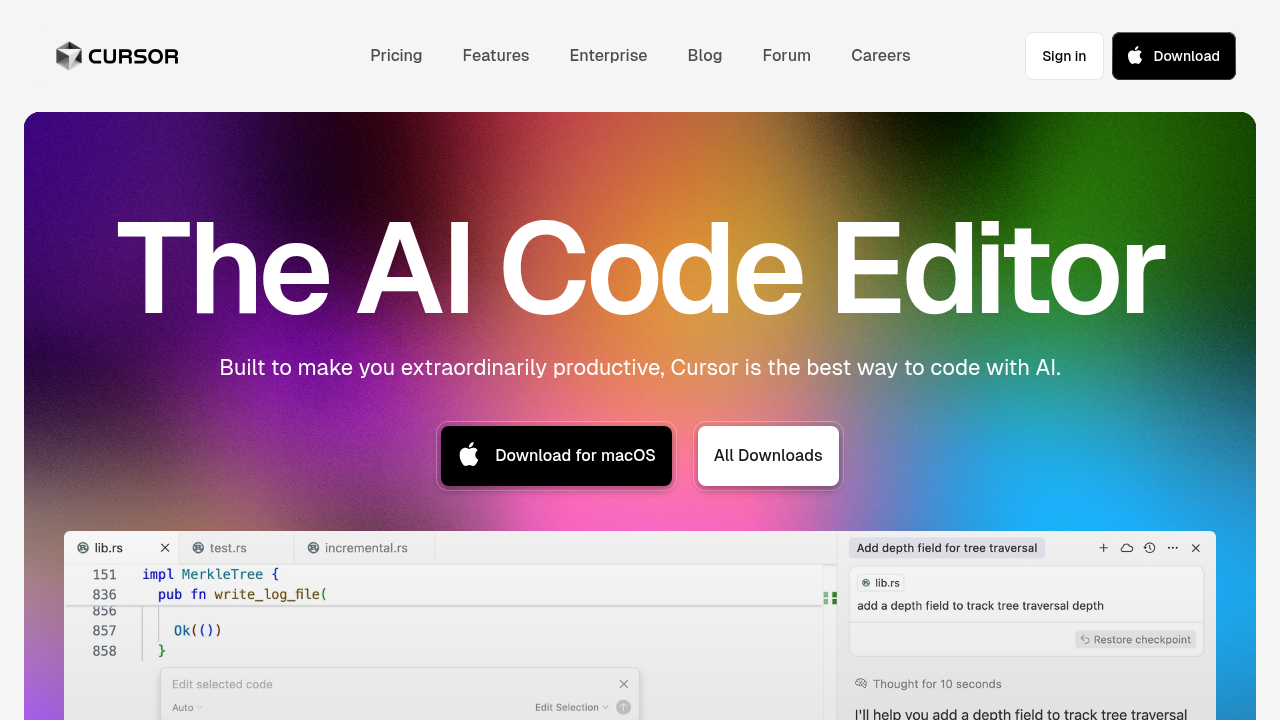
Cursor offers intelligent code suggestions and integrates seamlessly with various programming languages, enhancing the development workflow for developers. It includes advanced features such as real-time chatbots that provide coding help and adaptability to different coding environments, allowing users to receive automated support tailored to their needs.
Through its integration with AI capabilities, like those seen in tools using GPT-4o or Claude 4 Sonnet, Cursor improves code quality by aiding in debugging and generating documentation. It effectively addresses common challenges programmers face, such as managing project context and ensuring security with multi-factor authentication for sensitive data. By providing intelligent code suggestions and tools like Amazon CodeWhisperer and Tabnine, Cursor helps streamline coding tasks, making it an indispensable tool for both novice and experienced developers.
GitHub Copilot

GitHub Copilot enhances real-time code suggestions for developers through its intelligent code recommendations that leverage large language models like GPT-3.5 and GPT-4o. This makes coding assistance responsive and relevant, as it reacts to the context provided by the developer. The tool significantly supports error detection and fixing during the coding process by allowing seamless integration into popular development environments.
If a developer makes mistakes, Copilot can suggest fixes directly, improving code quality with features closely associated with code reviews and debugging. Over time, GitHub Copilot effectively learns and adapts to a developer’s coding style, using advanced features that help it understand specific preferences, making it a strong partner for pair programming.
Additionally, tools like Qodo and Tabnine also enhance coding help by providing automation and documentation throughout the coding journey. These AI coding assistants create a smoother development workflow by integrating with various programming languages, even offering browser interfaces and Mac/Windows apps for accessibility.
Tabnine
Tabnine stands out among AI coding assistants due to its focus on intelligent code suggestions, error detection, and automatic documentation generation. This tool enhances the development workflow by providing real-time code suggestions that are tailored to the user’s specific project context. Developers gain immediate coding help, streamlining automation and improving code quality.
By leveraging large language models, such as those seen in chatbots or advanced features like GPT-4o or Claude 4 Sonnet, Tabnine learns from individual users’ coding patterns and preferences, allowing it to adapt over time. This adaptability enhances its effectiveness in generating coding solutions and debugging code, making it a preferred choice among programmers using various programming languages. With support for platforms like Mac and Windows apps and integration into popular IDEs, Tabnine also maintains a simple browser interface for accessibility.
These capabilities position Tabnine as a competitiveplayer alongside tools like Qodo or Copilot. It shows potential in maintaining high-code standards and security through its built-in features, which can assist developers in detecting vulnerabilities and improving code reviews.
Kite

Kite stands out among AI coding assistants due to its unique integration of advanced features like intelligent code suggestions and automated code reviews. It helps developers by providing code suggestions and leveraging large language models for enhanced accuracy. Kite’s approach to error detection is improved through its support for programming tests, which allows for comprehensive debugging and elevates code quality.
This leads to a smoother coding experience for developers by catching errors early. Kite also shows adaptability through its ability to learn from user interactions, offering coding help that evolves based on previous queries. Chatbots like AskCodi and other AI capabilities contribute to this by fostering a better development workflow. Tools like Qodo and GitHub Copilot also integrate with various IDEs to provide interactive support, while Kite’s browser interface supports multiple programming languages, boosting engagement.
The combination of features like integratingwith a mac app or a Windows app to streamline project context further accelerates automation and enhances coding efficiency. Developers can significantly benefit from its ability to address vulnerabilities and improve coding practices.
Pros and Cons of AI Coding Assistants
Advantages of Using AI Coding Assistants
AI coding assistants provide substantial advantages that boost productivity for developers by offering intelligent code suggestions and automating repetitive tasks. Tools like Qodo and GitHub Copilot harness advanced AI capabilities to help developers write code more quickly and effectively. They also aid in debugging and managing project context, which streamlines development workflows.
For maintaining code quality, these assistants incorporate features like code reviews and automated tests tominimize vulnerabilities. Programming tests can be created to ensure adherence to specific standards. New programmers find value in AI code generation and assistance through chatbots like AskCodi, which help explain coding concepts in real-time. They support multiple programming languages, simplifying the learning of complex ideas for beginners.
The integration of tools like Tabnine and Amazon CodeWhisperer enables users to access documentation and receive coding help, enriching their understanding.
Challenges of AI Coding Tools
AI coding tools can encounter limitations when it comes to grasping complex coding tasks and user intent. Some assistants may have difficulty interpreting the subtleties of programming languages, which can influence the accuracy of their code suggestions. Tools like Qodo and Tabnine may perform well with simpler tasks but may struggle with elaborate projects that demand a deeper understanding, resulting in potential errors in code generation.
These challenges can affect code quality and security, particularly when AI tools like GitHub Copilot or Amazon CodeWhisperer provide outputs that may include vulnerabilities or insufficient documentation for debugging. Overreliance on these tools can stifle a developer’s growth, as it might restrict their opportunity to grasp fundamental programming concepts and enhance problem-solving abilities.
A strong dependence on automation, evident in specialized AI coding assistants, could inhibit developers from fully participating in the coding process, which may influence their long-term skills. Despite the notable assistance these tools can provide in areas like pair programming or project context management, a solid understanding of programming is necessary for effective development workflows.
Tips for Selecting the Right AI Coding Tool
1. Assess Your Programming Language
Understanding the programming languages a developer uses helps identify the best AI coding tools for them. Different tools like Qodo and GitHub Copilot support a range of programming languages, allowing developers to receive intelligent code suggestions that align with their preferences.
A skilled developer who is well-versed in languages can leverage these AI coding assistants more effectively, simplifying debugging and code reviews, especially with tools like Tabnine and Amazon CodeWhisperer,which offer advanced features tailored to their expertise. The developer’s coding style also matters; for instance, those who prefer object-oriented coding may find certain AI tools more beneficial than others. Tools like AskCodi and Codiga can assist with project context and documentation, ensuring that developers uphold high code quality.
Integrating tools like Replit or employing AI-powered chatbots can enhance the automation of coding tasks, while capabilities such as using GPT-4O for code generation or employing multi-factor authentication can improve the development workflow across various platforms like Mac and Windows apps.
2. Determine Integration with Existing Tools
When evaluating an AI coding tool, developers focus on its compatibility with their existing development environment and workflows. Solutions such as Qodo and GitHub Copilot support widely used programming languages and integrate seamlessly through APIs or plugins for straightforward setup. These coding assistants provide intelligent code suggestions and debugging features that enrich development processes.
Compatibility issues may occur with certain tools or configurations, especially with older IDE versions or across different operating systems such as Mac or Windows. Developers also appreciate features like automation and project context management, which enhance collaboration during activities like pair programming. Tools such as Tabnine and AskCodi can enhance code quality, although they may need additional configurations for the best integration.
3. Evaluate Cost vs. Value
When evaluating AI coding tools, developers compare the cost against the value provided in productivity and code quality. Tools like Qodo and GitHub Copilot offer intelligent code suggestions, chatbots for instant assistance, and automation features that can greatly enhance the development workflow. Advanced features, such as multi-factor authentication and debugging capabilities, are important for ensuring safe and efficient coding, justifying their expense.
Organizations can measure return oninvestment by analyzing time saved on coding tasks, the reduction of bugs and vulnerabilities, and enhancements in documentation through effective tools like AskCodi and Codiga. Capabilities such as project context management and programming tests with AI code generation can simplify coding processes across various programming languages.
By leveraging these AI capabilities, such as those provided by Amazon CodeWhisperer and Replit, organizations can evaluate improvements in code quality and theoverall effectiveness of their development teams, directly linking the cost of these tools to concrete benefits in their coding infrastructure.
The Role of Windsurf in AI Development
Windsurf enhances AI development methodologies by providing intelligent code suggestions that support various programming languages. This tool helps developers by offering coding assistance through chatbots and autocompletion features, efficiently integrating into popular development environments.
With capabilities like advanced features found in coding assistants, Windsurf empowers developers to streamline their workflows, enabling tasks such as debugging, code reviews, and automation more effectively. The principles behind Windsurf allow AI coding tools to be adaptable; they can tackle diverse programming challenges, from project context management to generating high-quality code output. By combining the strengths of AI capabilities like those seen in Qodo and GitHub Copilot, Windsurf facilitates improved collaboration among teams. Its browser interface and Mac or Windows apps make it accessible, ensuring that developers can harness its full potential regardless of their environment.
This flexibility encourages a more dynamic development workflow, allowing for efficient coding help and high standards of code quality. By integrating features like multi-factor authentication, Windsurf strengthens vulnerabilities detection, making it a valuable addition to any AI-powered coding toolset.
Future of AI Coding Tools
Predicted Trends in AI Coding Assistants
Technological advancements such as improved large language models like GPT-4o and Gemini Pro 2.5 are set to enhance the capabilities of AI coding assistants, offering smarter code suggestions and improved debugging options. User interaction is expected to change with features like advanced chatbots that grasp project context, aiding users in creating coding environments suited to their preferences.
Tools like Qodo Merge and AskCodi will support coding assistance and automation, potentially streamlining the development workflow. The integration of AI coding assistants, including those powered by Amazon CodeWhisperer and OpenAI, is likely to foster collaboration among developers and teams by providing shared coding resources and enabling pair programming through platforms like Replit. These AI-enabled coding tools aim to enhance code quality through automated reviews and vulnerability checks while offering an easy-to-use browser interface for quick access.
Impacts on Software Development
The integration of AI coding tools like Qodo, Copilot, and Tabnine is set to transform software development workflows significantly. These tools provide intelligent code suggestions and coding help, making it easier for developers to write code efficiently. For instance, coding assistants can automate programming tests and documentation, thus accelerating project timelines and enhancing code quality.
As AI capabilities evolve, developers may need to adapt by learning to interact with chatbots and using advanced features of tools that leverage LLMs like GPT-4o and Gemini Pro 2.5. This could include embracing new techniques in pair programming and debugging, which AI tools streamline. Furthermore, the collaboration among team members could improve as tools like AskCodi and DeepSeek V3 enable better project context management, fostering clear communication.
Teams may also benefit from integrated features, such as multi-factor authentication and browser interfaces for smoother interactions.