

Most retail brands already have screens. The real advantage now comes from what’s behind those screens: a turnkey digital signage strategy by CrownTV that connects content, hardware, data, and in-store experience into one cohesive system.
We’re observing a clear shift. Leading retailers aren’t treating digital signage as a nice-to-have tech experiment anymore. They’re using CrownTV’s solutions as a strategic lever, driving traffic, lifting basket size, reducing friction, and even supporting store teams.
In this article, we’ll break down how retail digital signage works, where it delivers the most value, and how a turnkey approach with CrownTV can turn “just screens” into a serious competitive edge.
What Retail Digital Signage Is (And Why It Matters Now)
Defining Retail Digital Signage
When we talk about retail digital signage, we’re discussing the full ecosystem of in-store screens and the technology that powers them:
- Displays (from window LEDs to shelf-edge and menu boards)
- Media players and AV infrastructure
- Centralized software to manage and schedule content
- Data integrations that connect content to inventory, pricing, and campaigns
It’s not just a TV on a wall. It’s a programmable, measurable communication channel that sits inside your most valuable real estate, your stores.
How Digital Signage Fits The Modern Customer Journey
Customers don’t shop in a straight line anymore. They bounce between online research, social, store visits, and pickup. Retail digital signage powered by CrownTV is the connective tissue inside the store experience.
We can:
- Mirror online offers and creative in real time
- Reinforce social and brand moments at the shelf
- Guide shoppers from discovery to purchase with clear, visual cues
Instead of treating stores as separate from e?commerce, digital signage helps us make them feel like the physical extension of our digital brand, consistent, current, and personalized to context.
Core Benefits Of Digital Signage For Retailers
Increase Foot Traffic And Capture Window Shoppers
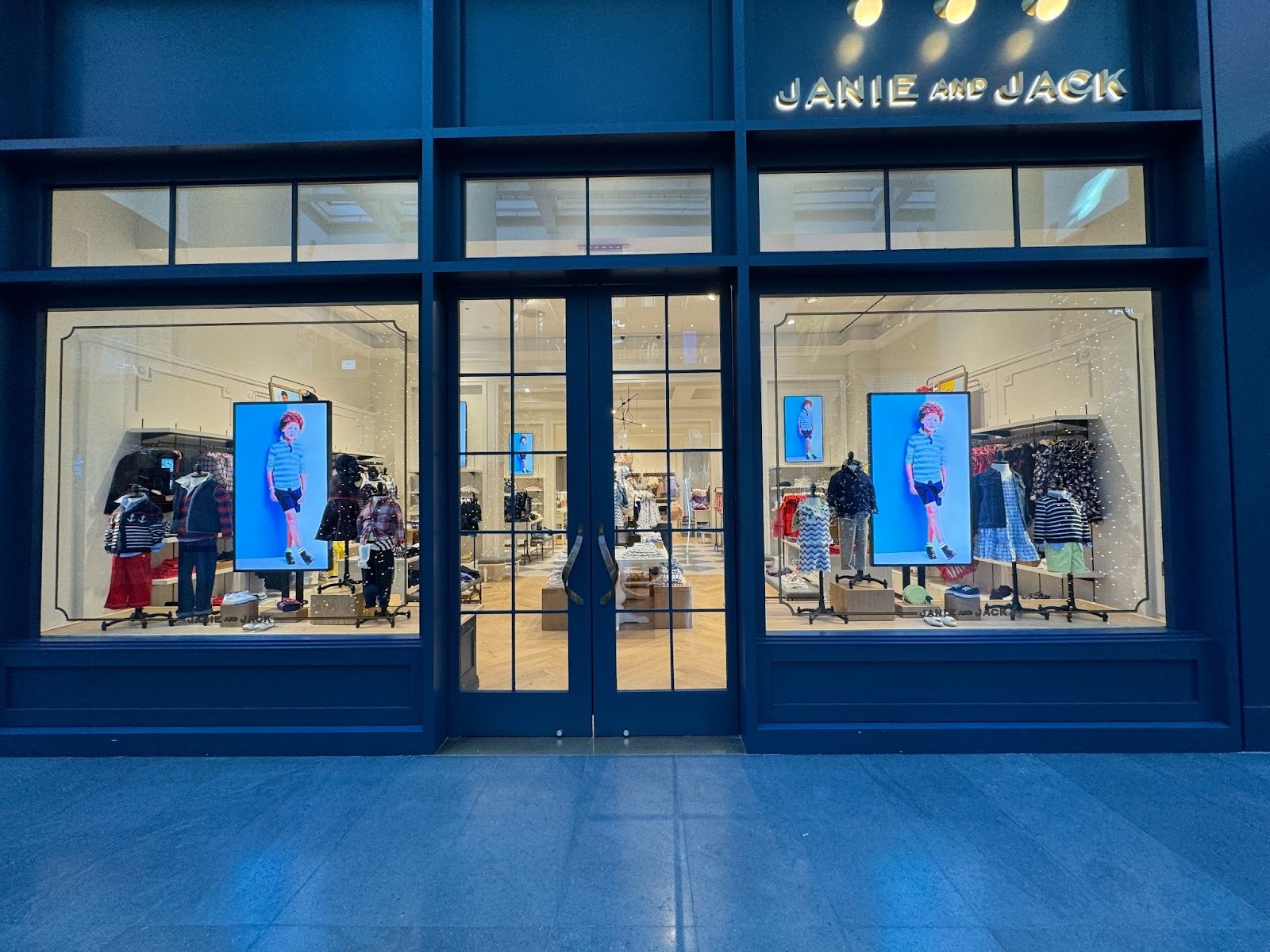
Your storefront is your first (and often only) chance to stop passersby. Static posters age fast. Dynamic window content using CrownTV can:
- Highlight time-sensitive offers or events
- Rotate through multiple hero products without reprinting
- Adjust by time of day or day of week
We’ve seen retailers boost walk?in rates simply by treating their windows as live media, not printed billboards.
Boost Basket Size And Cross-Selling In Aisles
Once shoppers are inside, we can use digital signage to nudge behavior where it matters most, near products.
Endcap and in?aisle screens can:
- Surface bundles and “buy together” suggestions
- Promote complementary categories (chips near beverages, accessories near apparel)
- Push limited?time promotions while inventory is available
The goal isn’t visual noise: it’s well-timed prompts that feel helpful and relevant.
Enhance Customer Experience And Dwell Time
Done well, digital signage reduces friction instead of adding clutter. Think:
- Clear wayfinding and category navigation
- Real-time wait time updates in service areas
- Educational content that answers questions without needing staff
When shoppers feel informed and oriented, they stay longer and buy more, without feeling overtly “sold to.”
Support Staff And Internal Communications
Screens aren’t only for customers. Back?of?house and break?room displays can:
- Share sales goals and performance in real time
- Push training content and new product knowledge
- Broadcast urgent updates across locations instantly
CrownTV’s turnkey AV + digital signage system lets us manage both customer-facing and internal content from one platform, keeping stores aligned without endless email chains and printouts.
Key Use Cases: From Storefront Windows To Checkout Screens
Storefront And Window Displays
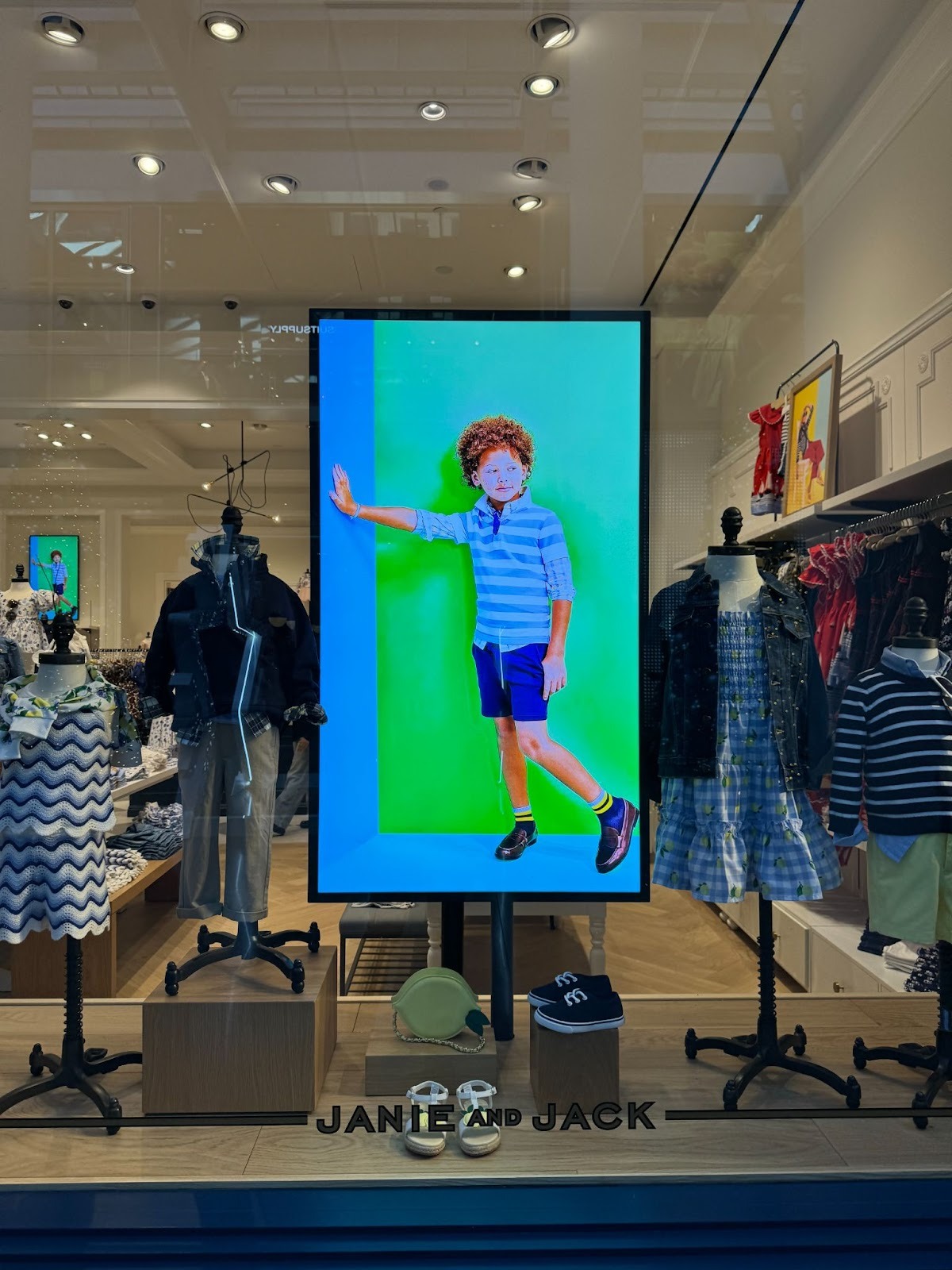
High?brightness window screens cut through reflections and daylight, turning your façade into a living campaign. We can:
- Sync window content with major launches and online drops
- Tailor creative to local events or weather
- Run motion-driven visuals that stand out in a crowded street
In-Aisle And Endcap Displays
At the shelf, context is everything. Compact displays at eye level can:
- Compare features side by side
- Show quick demos or styling ideas
- Call out ratings, reviews, and social proof
This is especially powerful in categories where shoppers hesitate, beauty, tech, home improvement, and big-ticket items.
Checkout, Queue, And Service Area Screens
Lines are inevitable: frustration isn’t. Queue and checkout screens can:
- Display queue status and estimated wait times
- Promote add-ons or impulse items without slowing down staff
- Share brand stories, loyalty benefits, and app prompts
It’s one of the few moments when we truly have attention. We should use it intentionally.
Interactive Kiosks And Wayfinding
Interactive touchpoints push digital signage into two-way territory. Kiosks and wayfinding screens can:
- Help shoppers find products by aisle or shelf
- Offer endless-aisle browsing when items aren’t in stock
- Capture preferences and feedback without a heavy lift for staff
When integrated with inventory and POS, these experiences feel less like “gadgets” and more like genuine service enhancements.
Planning Your Retail Digital Signage Strategy With CrownTV
Clarify Objectives, Audience, And Store Layout
Before hanging a single screen, we always start with three questions:
- What are we trying to move? Foot traffic, conversion, basket size, loyalty, labor efficiency?
- Who are we speaking to? First?time visitors, regulars, staff, or different groups at different zones?
- How does the store actually flow? Entry, decompression zone, high?traffic aisles, dwell areas, checkout.
Mapping objectives to real shopper journeys keeps us from building random “screen islands” that don’t pay off.
Choosing The Right Screens, Players, And Placement
Not every zone needs a giant LED wall. Sometimes a small, well?placed shelf screen wins. We look at:
- Viewing distance and angles
- Ambient light and reflections
- Mounting constraints and cable runs
- ADA and safety requirements
The hardware should quietly support the experience, not dictate it.
Network, Software, And Content Management Basics
Turnkey really matters here. A robust platform like CrownTV should let us:
- Control all screens across locations from a central dashboard
- Schedule content by store, zone, daypart, or campaign
- Integrate with POS, inventory, and marketing systems
- Monitor uptime and remotely troubleshoot
When we talk about digital signage for retail, this full-stack approach, AV design, hardware, software, and managed services is what separates a one-off pilot from a scalable, brand-wide network.
Content Best Practices For High-Impact Retail Screens
Designing Content For Glanceability
Most shoppers give screens 1–3 seconds. We design for that reality:
- One clear message per frame
- Bold typography and high contrast
- Motion used sparingly to draw, not distract, attention
If someone can’t understand the offer in a quick glance while walking, it’s too dense.
Balancing Promotions, Brand, And Utility Content
A healthy content mix usually includes:
- Promotional: offers, new arrivals, bundles
- Brand: storytelling, values, community, social proof
- Utility: navigation, how?tos, FAQs, policy updates
Over?rotating on promos can train shoppers to wait for discounts. We aim for a mix that sells today while building the brand for tomorrow.
Using Data, Dayparting, And Localization
The more we connect content to real-world context, the better it performs. We can:
- Daypart menus and offers by time of day
- Localize creative for neighborhood events or weather
- Trigger content based on inventory, POS data, or traffic levels
This is where digital signage starts feeling less like “screens on a loop” and more like a responsive in?store media network.
Measuring Success And Avoiding Common Pitfalls
KPIs To Track: From Impressions To Incremental Sales
We can’t manage what we don’t measure. For retail digital signage, we typically track:
- Reach & dwell: traffic counts, time in zone, attention where available
- Behavioral lift: changes in conversion, units per transaction, or attach rates in exposed areas
- Operational impact: reduced perceived wait times, fewer basic questions for staff
The key is to tie screens to specific behaviors (e.g., add?on attach rate at a promoted endcap), not vague “awareness.”
Testing, Optimizing, And Staying Compliant
Digital signage shines when we treat it like a live channel, not a one-and-done fixture. That means:
- A/B testing copy, imagery, and offers by store or time
- Regularly pruning underperforming content
- Ensuring ADA, accessibility, and local signage regulations are met
We also build in fail?safes: offline fallbacks, content approvals, and clear ownership between marketing, IT, and store ops so networks stay performant and on-brand.
Conclusion
Retail brands are under pressure to make every square foot work harder. Turnkey digital signage solutions from CrownTV transform in?store screens from static cost centers into dynamic, measurable sales and experience drivers.
When we align strategy, hardware, content, and data, and manage it as a unified system, we don’t just “have screens.” We have a flexible in-store media network that can adapt as fast as our customers do.
That’s the real strategic advantage: not the display itself, but the ability to communicate, test, and optimize at the speed of modern retail.
Retail Digital Signage FAQs
What is retail digital signage and why does it matter now?
Retail digital signage is the full ecosystem of in-store screens, media players, software, and data integrations used to deliver dynamic content in retail spaces. It matters now because it turns stores into responsive media channels that drive traffic, conversion, basket size, and customer experience instead of acting as static décor.
How does retail digital signage improve the in-store customer journey?
Retail digital signage connects the online and in-store experience by mirroring web offers, reinforcing social content at the shelf, and guiding shoppers with clear visual cues. This helps customers move from discovery to purchase more confidently while experiencing a consistent, up-to-date version of the brand across channels.
What are the most important use cases for digital signage in retail stores?
Key use cases include high-brightness storefront and window displays, in-aisle and endcap screens for product education and cross-sell, checkout and queue screens for wait-time updates and impulse offers, and interactive kiosks or wayfinding to help shoppers find products, access endless-aisle options, and get self-service support.
How should retailers plan a digital signage strategy before installing screens?
Retailers should first define objectives (traffic, conversion, basket size, loyalty, or labor efficiency), clarify target audiences in each store zone, and map actual store flow. From there, they can choose the right screen types, placements, and content strategy, avoiding random “screen islands” that don’t drive measurable outcomes.
How much does a retail digital signage solution typically cost?
Costs vary widely by store size, hardware quality, and whether you choose a turnkey provider. Budget items include displays, mounts, media players, networking, software licenses, content creation, and installation. Many retailers start with priority zones, then scale. A pilot phase helps validate ROI before committing to a full network rollout.
How can retailers measure the ROI of digital signage and optimize performance over time?
ROI is measured through KPIs like traffic and dwell time in screen zones, changes in conversion and basket size, attach rates on promoted items, and reduced perceived wait times or basic questions to staff. Ongoing A/B testing, content pruning, and compliance checks keep the network performing and aligned with business goals.





