AI writing apps aren’t just autocomplete anymore — they’re partners.
In 2026, the average context window jumped from 8,000 to 100,000 tokens—enough to keep an entire draft in view.
Pair that new memory with co-editing panes, scenario wikis, and live two-person workspaces, and you get tools that let you steer every chapter instead of chasing the AI.
We tested the seven leading AI story-writing collaborators for collaboration depth, narrative quality, plot control, price, and ease of use.
The next few minutes will help you decide which one belongs in your writing workflow.
1. DreamGen: your scenario-driven co-author

Open DreamGen, an AI story generator built to bring your ideas to life, and you don’t face a blank page. Its generous free tier lets you jump straight into drafting, and seconds later you meet the Scenario Wizard. Drop in characters, locations, and the single rule that binds your universe. Click Create, and the platform spins up a live sandbox where you and the AI improvise scene by scene, each line guided by the details you just supplied.
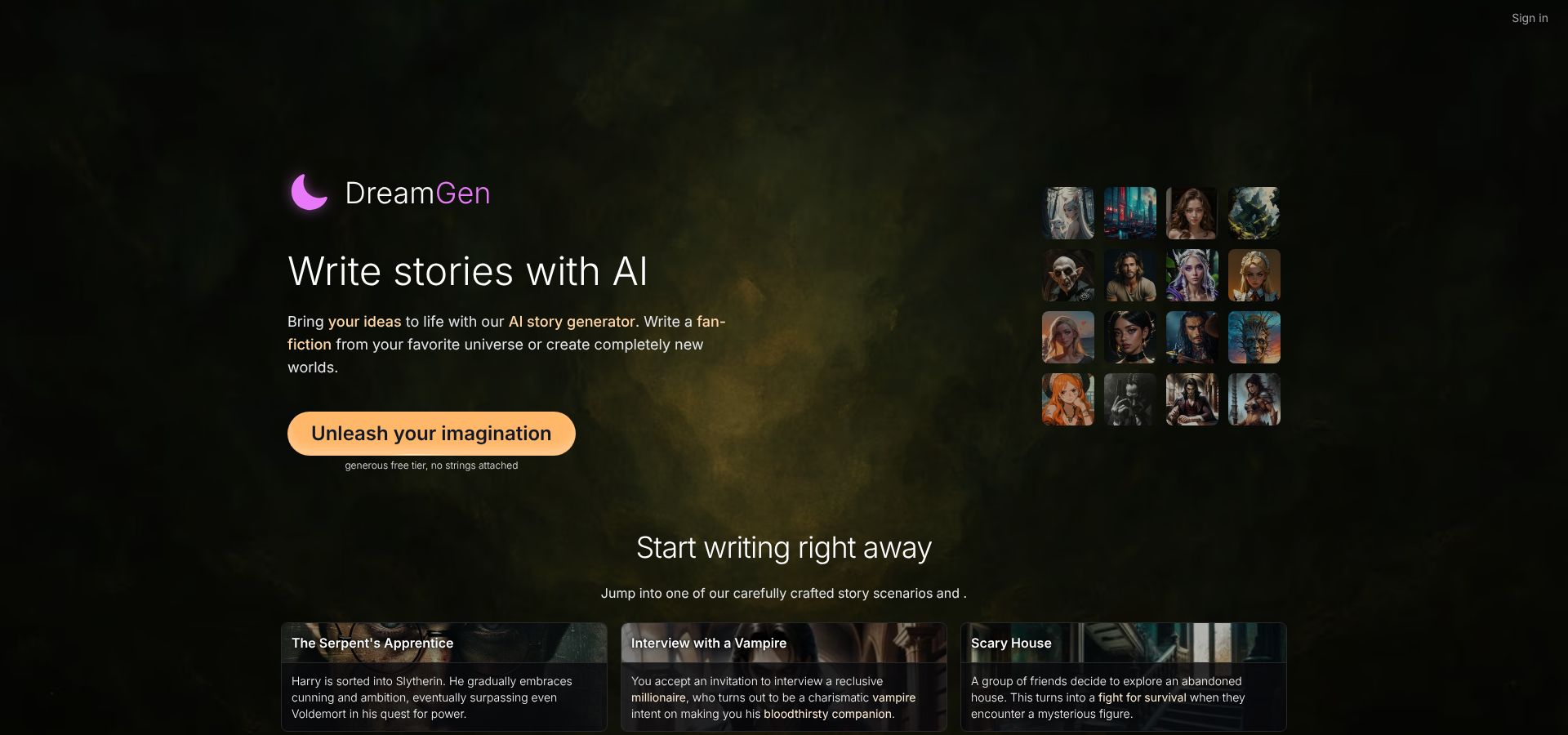
DreamGen Scenario Wizard and Scenario Codex interface screenshot.
The core feature is the Scenario Codex, a wiki that sticks to the model’s memory. In our test, we logged a three-page magic system plus a dozen side characters; ten chapters later, the AI still quoted the right incantation. Reviewers often point to the Codex, along with the free plan’s ~250 daily messages after monthly credits, as the reason writers switch from generic chatbots.
Steering is instant. Type an out-of-story note such as “Cut to a flashback during the Siege of Aranth,” and the AI complies while keeping the voice. Ask it to let the villain win and watch the consequences ripple through every character in real time.
Collaboration feels like a tabletop session at novel scale. You play the protagonist, the AI juggles side characters and narration, and a friend can load your shared scenario file to continue the story without losing a single lore thread.
Pricing stays simple. The free tier resets monthly and tops up daily credits. Pro costs about $15 per month, unlocks unlimited first-party models, and expands the context window to roughly 30 000 tokens. Higher-end models support epics approaching 200 000 words.
Bottom line: if you want full creative control, SFW or NSFW privacy, and an AI that remembers your world better than you do, DreamGen earns a place in your toolkit.
2. Claude: when you need a 100-kilobyte memory
Some stories sprawl, and Claude keeps up. Claude is a writing partner with a 100 000-token context window (about 75 000 words), so you can paste a full draft and still have room for the next scene. Ask for a thematic pass and it tracks every subplot without mistaking Aunt Mae for a sea serpent.
Collaboration feels like working with a tireless senior editor. Paste a messy chapter, request line-level tightening, then have Claude flag plot holes. In our nine-chapter mystery test, it caught a swapped murder weapon we missed during revision three.
Steering stays simple. Pin a style card such as “noir, sarcastic, first-person” at the top, then issue scene-by-scene instructions. Claude honors those global notes while adapting to each new turn you call out. It is less playful than DreamGen, but for structural tasks the larger memory pays off.
Pricing lands between hobby and pro. The free tier delivers roughly 20 000 tokens per chat. Claude Pro costs about $20 per month and unlocks the full 100 000-token window plus faster throughput. If you think in trilogies, Claude fits.
3. ChatGPT: the universal brainstorming buddy
Open ChatGPT and you’re greeted by an empty chat box, like a café table waiting for ideas. Ask, “Give me three plot twists for a cozy mystery on Mars,” and seconds later you’ll have Agatha-meets-NASA options.
ChatGPT is a flexible brainstorming partner. GPT-4 shifts tone on demand, gliding from lyrical fantasy to snappy rom-com without dropping a comma. That versatility makes the tool perfect for roughing out ideas, testing dialogue, or sprint-rewriting a scene when deadline panic hits.
Collaboration feels like pure conversation. You write a line, the model replies, momentum builds. Need tighter pacing? Just ask. Want to switch viewpoint characters mid-chapter? Tell it, and the AI pivots. Every instruction lives in the thread, so your co-authoring history is ready for quick hand-offs to a human partner.
Steering takes light project management. ChatGPT recalls only what fits in its current context window, so paste a short story bible at the top of long sessions or keep key facts in a recurring note. With that habit, coherence holds for roughly 10 000 words at a time.
Cost stays low. The free tier runs GPT-3.5, fine for outlines and short scenes. ChatGPT Plus costs $20 per month and gives access to GPT-4’s richer prose, larger memory, and beta extras like custom chat personas. For zero-budget writers, it is the easiest on-ramp to AI collaboration.
Use ChatGPT for instant inspiration, quick revisions, or a risk-free sandbox to experiment. Treat it as a brainstorm buddy, and it seldom disappoints.
4. Squibler: real-time co-writing for actual humans
Most AI tools see collaboration as “you plus robot.” Squibler adds the missing ingredient: another human in the same document. Invite a co-author and you both see every keystroke live, Google-Docs style, while the built-in AI waits for its cue. That single feature turns drafting sessions into fluid jams. Someone types “He pulls the lever,” the AI proposes the fallout, and your partner tweaks dialogue.
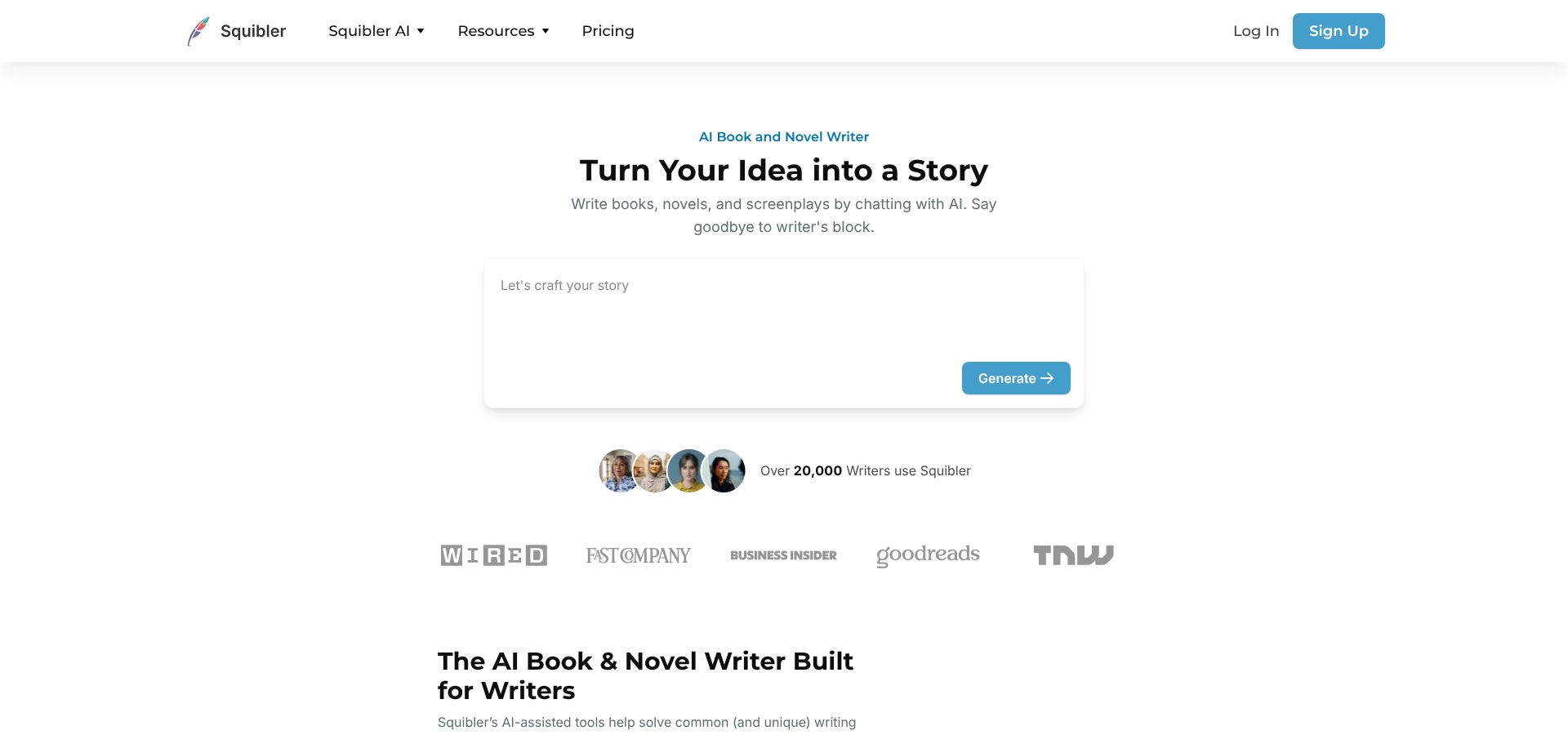
Squibler real-time co-writing editor with live cursors.
Squibler is an editor built for organization. Chapters sit in a sidebar, scene cards drag to reorder beats, and goal trackers nudge you past word-count slumps. Need a character? Click Generate and Squibler provides a bio, motivations, and a two-sentence arc you can keep or revise.
Under the hood, Squibler pipes in GPT-4 for paid users and GPT-3.5 on the free tier, so prose quality depends on the prompts you feed it (user tests at AllAboutAI, May 2026). We found it strongest at mid-level tasks, such as rewriting clunky paragraphs or brainstorming cliff-hangers, while big structural rewrites still land better in Claude or DreamGen.
Pricing sits in the middle. The free plan covers up to five projects and roughly 6 000 AI-generated words each month. Squibler Plus costs about $16 to $20 per month, depending on billing cycle, and adds unlimited projects plus priority AI tokens.
Choose Squibler when your story lives in joint drafts, class workshops, or any workflow where “Let’s jump on a call and write together” moves progress forward.
5. StoryForge: build a branching multiverse without losing yourself
StoryForge is a plot builder that turns your manuscript into a decision tree. Add a choice, label the branches, and the AI drafts each timeline while tracking continuity.
StoryForge branching decision tree interface screenshot.
The editor shows scenes as connected cards. Click a node to revise, then zoom out to view the whole lattice, as if your corkboard updated itself. Because StoryForge remembers character states per branch, if the hero loses an arm in Path B the AI will not have him juggle torches two chapters later.
Collaboration feels iterative. Seed a scene, ask the AI for three branch ideas, and pick the one that clicks. Later, share an interactive link so beta readers can play through every fork without touching code.
Pricing is straightforward. The free tier supports up to three active stories with 25 branch nodes each. StoryForge Creator costs about $9 per month and removes caps while adding export to HTML, Twine, and game-engine JSON. That makes it one of the most affordable ways to prototype choose-your-own-adventure fiction.
If your creative brain loves sliding-doors plots, StoryForge supplies the scaffolding and memory to build them fast.
6. KoboldAI: total privacy and zero filters on your own machine
Cloud feeling crowded? KoboldAI is a local writing stack you run on your own hardware. Install the launcher, choose an open-source model such as Llama 3 or Mistral 7B, and draft without a single byte leaving your PC. For authors handling sensitive IP or scenes mainstream tools refuse, local inference equals freedom.
Setup takes more work than clicking “Sign up.” After installation, pick a model and assign resources. A 7-billion-parameter model at 4-bit quantization needs roughly 4–6 GB of GPU VRAM or 12 GB system RAM for workable speed. The browser UI feels familiar: prompt on the left, AI output on the right, plus a Memory panel to pin lore so the model stays consistent across chapters.
Because everything runs offline, you set the rules. No moderation bots, no throttling. Need adult horror? Go ahead. Parody a trademarked universe? Fine. The price is horsepower: epic fantasy flows best on a desktop with 12 GB or more VRAM, and 30-billion-parameter models can need up to 20 GB.
Collaboration follows old-school file sharing. Export a JSON or plain-text log and send it to your co-author; they continue in their own KoboldAI instance. It feels less seamless than Squibler’s live doc, yet the privacy upside convinces legal, medical, or indie-game writers to accept the extra step.
KoboldAI is free and open source. Your only cost is electricity and whatever hardware you already own. If you value absolute control over convenience, KoboldAI provides a private, filter-free writing space.
7. Fable AI: picture-book creation on autopilot
Text alone can fall flat for young readers. Fable AI is an illustrated-book studio that pairs every scene you write with AI-generated art, page layouts, and read-aloud narration. Draft a paragraph, click Illustrate, and an image appears that matches your setting, palette, and tone. Keep typing and Fable assembles each spread into a tablet-ready or print-ready picture book.
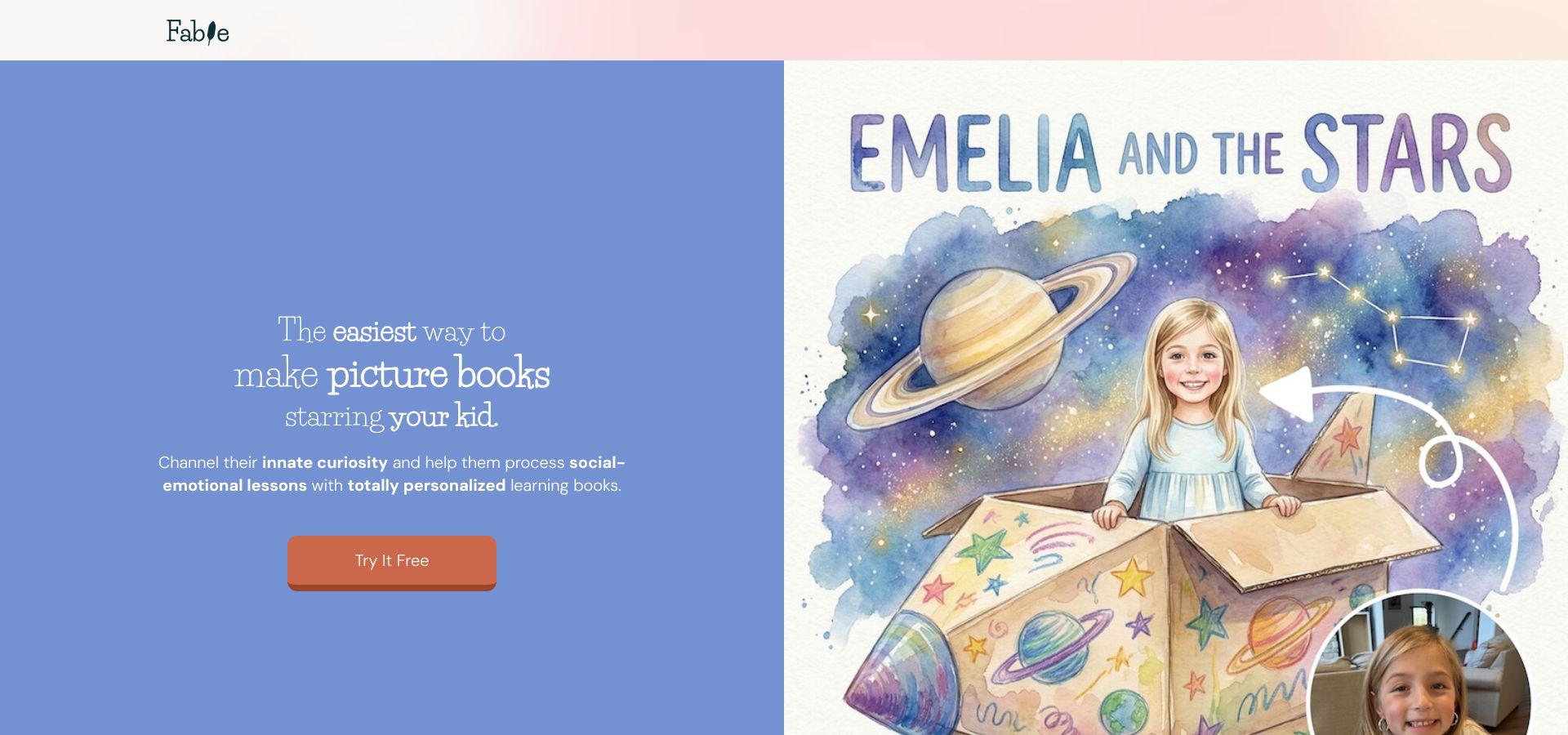
Fable AI picture-book editor with text and generated illustration.
Collaboration runs on two tracks. First, you guide the AI artist by setting mood, style, and focal characters. Second, you can share a live canvas link with a co-author or human illustrator who tweaks captions or swaps images in real time.
Under the hood, Fable combines a fine-tuned diffusion model for art with a narrative language model that enforces kid-safe language, so rhythm and repetition land without scary surprises.
Pricing stays simple. The Starter plan lets you publish one book per month free of charge using the app’s 300-token bundle. Creator plans start around $10 per month and lift caps on projects, add higher-resolution art, and provide multi-voice narration.
If you want to ship a fully illustrated children’s story without hiring a separate artist, Fable AI turns drafts into picture books fast.
Pin down how you like to collaborate
Start with people, not software. Do you picture co-writing in real time with another human, or riffing solo with an AI that never loses the plot?
- Live, multi-user editing. If you need simultaneous typing in class workshops, mentor sessions, or team sprints, pick a doc that shows every keystroke. Squibler’s free tier supports up to five projects and live cursors for each collaborator. DreamGen comes close: you can hand a friend a scenario file, but only one person writes at a time.
- Private duet with long memory. For marathon solo sessions, choose an AI with a large context window. Claude Opus handles more than 100 000 tokens (about 75 000 words), while DreamGen Pro reaches roughly 30 000 tokens. ChatGPT Plus now ships a 128 000-token model, but you will need a brief story bible if you are on the 8 000-token free tier.
- Comment-only reviewers. If beta readers or editors just need to mark up your prose, look for share-link modes. DreamGen and Squibler both create read-only links with inline comments, so no one can accidentally overwrite your draft.
Match the collaboration style first; the short list usually writes itself.
Match the tool to your content boundaries
Content boundaries are the guardrails that keep your story and your audience aligned. Every platform draws the line in a slightly different place, so choose the one that fits your material.
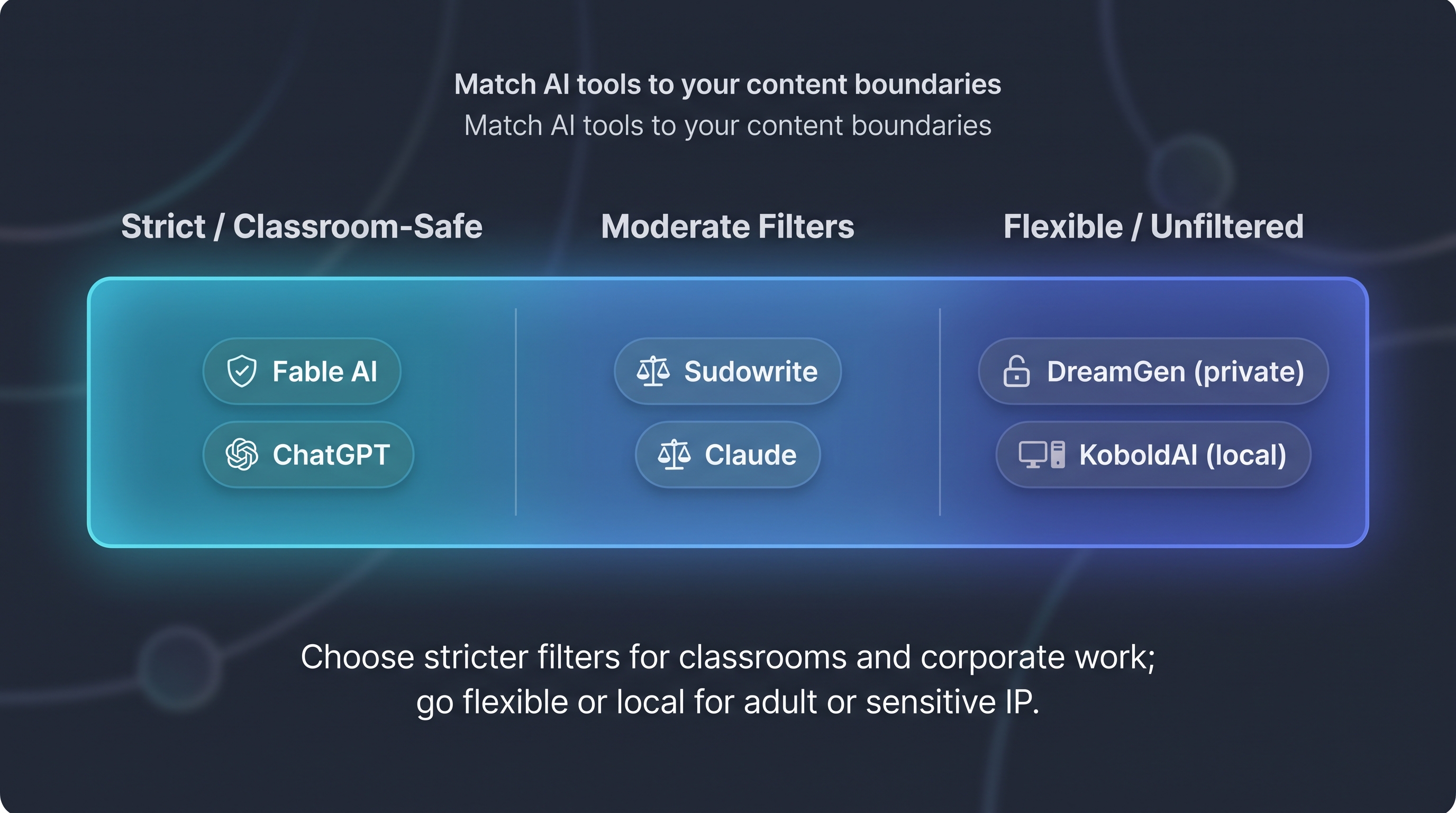
- Strict filters (classroom safe). Fable AI blocks violence and adult topics by design. ChatGPT’s free and Plus tiers refuse explicit sexual content and graphic gore, defaulting to PG-13 rewrites (OpenAI policy, March 2026). Ideal for corporate or children’s work.
- Moderate filters. Sudowrite allows mild romance and fantasy violence but rejects erotica. Claude Pro accepts most genres yet refuses sexual content involving minors or extreme violence (Anthropic policy page, April 2026).
- Flexible content policies. DreamGen permits adult romance and horror in private scenarios while keeping its public library SFW. KoboldAI runs entirely offline, leaving every content decision to you. Use these options when you need creative freedom or are working with sensitive, licensed IP.
Check a tool’s policy page before you begin. Nothing stalls momentum faster than a mid-scene refusal, so pick the AI whose guardrails match your audience and keep your plot moving.
Align context window with story length
The context window is the AI’s short-term memory. A short story needs quick sparks; a trilogy needs encyclopedic recall.
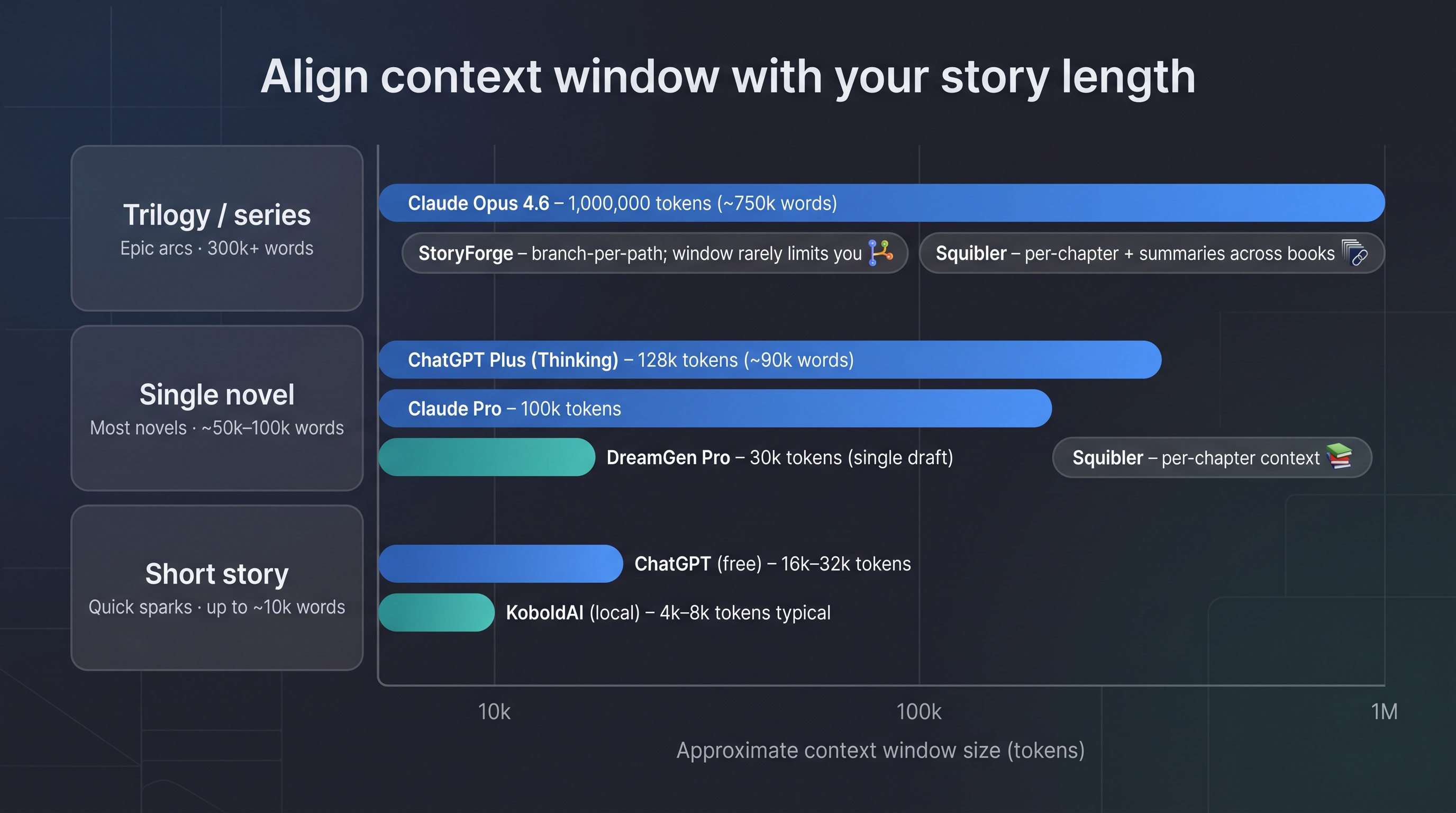
- Super-long memory. Claude Opus 4.6 now ships a 1 000 000-token context window (roughly 750 000 words), large enough to hold an entire trilogy in one prompt. DreamGen Pro tops out around 30 000 tokens, ideal for a single novel draft without recaps.
- Mid-range. ChatGPT Plus offers a 128 000-token input window (about 90 000 words) when you choose the “Thinking” model mode. That covers most novels, but free-tier users still sit in the 16 000–32 000 range, so keep a one-page story bible handy.
- Chapter-by-chapter editors. Squibler treats every chapter as its own file; each AI call sees only what sits in that chapter, which sidesteps window limits but means you monitor continuity manually.
- Branching tools. StoryForge stores each branch separately, so window size rarely bites; your challenge is tracking parallel timelines, not token caps.
- Local models. Running Llama-family models in KoboldAI typically provides 4 000–8 000 tokens unless you fine-tune or load a larger quantized file.
Rule of thumb: paste your average chapter length into a character counter. If it is more than half the model’s input limit, pick a bigger window, or plan on feeding summaries as you go.
Conclusion: weigh cost against writing velocity
Cost per finished word is the metric that matters. Drafting 90 000 words in a month on an AI plan that costs $20 is cheaper than a daily latte, while a weekend micro-fiction may not justify a subscription at all.
| Tool | Free tier | Entry paid plan | Best for |
| ChatGPT | GPT-3.5 with 16 000 tokens and rate caps | Plus – $20 per month for GPT-4 and a 128 000-token window | Idea bursts, short stories |
| DreamGen | About 2 000 monthly messages on Lucid Base plus 250 per day | Pro tier for unlimited first-party models and a 30 000-token context window | Serialized web fiction |
| Squibler | Five projects, 6 000 AI words per month | Plus – $16 to $20 per month for unlimited projects and priority tokens | Real-time co-writing |
| Claude | 20 000-token window, rate-limited | Pro – $20 per month for 100 000 tokens; Max – $100+ per month for 1 000 000 tokens | Long-form epics |
| StoryForge | Free for three stories and 25 branches | Creator – $9 per month for unlimited branches and HTML/Twine export | Interactive fiction |
| KoboldAI | Free, self-hosted | Hardware cost only | High-volume uncensored drafts |
Hidden costs matter too. Local setups like KoboldAI are fee-free but need hardware: a seven-billion-parameter model runs on about 4–6 GB of GPU VRAM, and a 30-billion model can require 16 GB or more. StoryForge’s HTML/Twine exporter sits behind its paid tier, and Squibler bills extra for printed books.
Bottom line: estimate your monthly word goal, match it to each plan’s quota, and pick the cheapest tier that never throttles your momentum.