
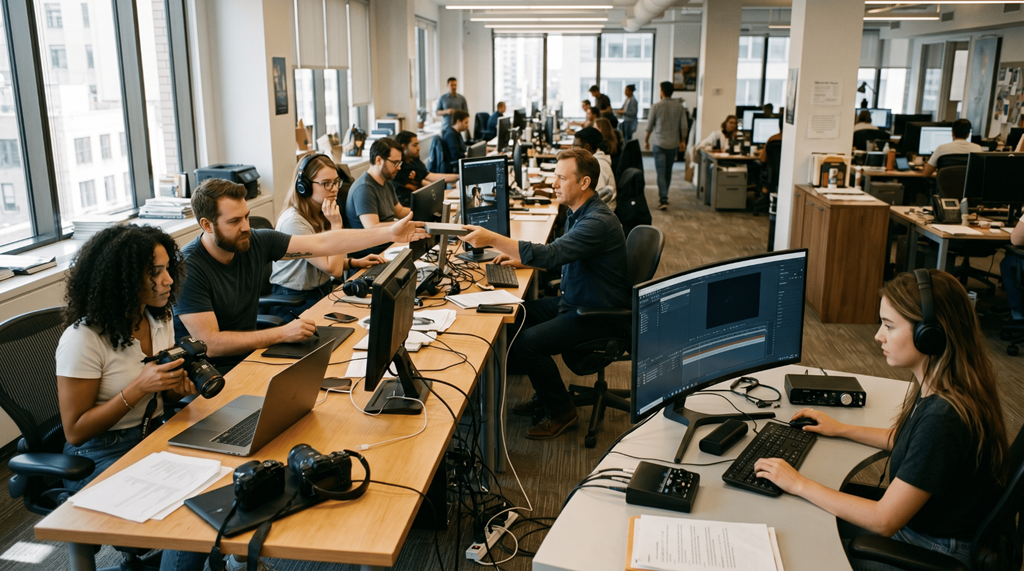
Content teams today are not just creating visuals. They are managing speed, consistency, collaboration, and output quality all at once. That changes how tools are evaluated.
It’s no longer enough for a tool to “work.” It has to fit into how a team operates day to day. It has to reduce friction, not add steps. And most importantly, it has to enable multiple people to contribute without slowing the process. This is where the comparison between Higgsfield AI and Kapwing becomes interesting.
Both tools are used by content teams, but they solve very different problems. One focuses on creating visuals efficiently from the start, while the other focuses more on editing and assembling content.
Understanding that difference is what helps you decide which one actually fits your workflow.
A creation-first approach that changes team dynamics
Higgsfield AI shifts how teams begin their work. With an ai image generator, the process starts with generating visuals that are already aligned with content needs, instead of building everything step by step. This directly supports Team workflows.
In many teams, the biggest delay happens at the beginning. Someone has to create the first version, then others review it, suggest changes, and the cycle continues. Higgsfield AI reduces that dependency.
Instead of waiting for a designer or a specialist, teams can generate strong starting points quickly using an ai image generator. That means:
- Faster alignment on ideas
- Fewer revision cycles
- Less back-and-forth
Another important advantage is consistency. When multiple people contribute, maintaining a uniform style becomes difficult. A well-structured ai image generator helps keep outputs aligned, which makes collaboration smoother.
This is especially useful for:
- Marketing teams running campaigns
- Social media teams creating daily content
- Brands managing multiple content formats
Kapwing and its role in content editing
Kapwing approaches content creation from a different angle. It focuses on editing and assembling content rather than generating it.
Teams use Kapwing for:
- Video editing
- Adding subtitles
- Trimming and combining clips
- Basic image adjustments
It’s particularly useful when you already have content and need to refine it.
For example:
- Turning raw footage into social clips
- Editing existing visuals
- Adding text overlays
Kapwing simplifies these tasks, especially for teams that don’t want to use complex editing software. But there’s a limitation.
It depends on existing assets. It doesn’t solve the problem of creating original visuals quickly with an ai image generator.
Where the difference becomes obvious
At a surface level, both tools support content teams. But they operate at different stages. Higgsfield AI focuses on creating visuals efficiently.
Kapwing focuses on editing and finalizing content. That difference shapes how each tool fits into a workflow. If your team struggles with generating visuals quickly, Kapwing won’t fix that. That’s where an ai image generator becomes essential. If your team struggles with editing content, Higgsfield AI alone won’t replace that function. But in fast-moving content environments, the starting point often matters more.
Why starting with strong visuals matters
The quality of your initial visual impacts everything that follows.
If the first version is weak:
- More revisions are needed
- Feedback cycles increase
- Final output takes longer
If the first version is strong:
- Teams align faster
- Edits are minimal
- Content moves quickly
Higgsfield AI improves this starting point through an ai image generator. That’s why it often feels more efficient in real team workflows.
Where Kapwing still adds value
Kapwing remains useful in specific scenarios.
It works well when:
- You already have content to edit
- You need quick adjustments
- Your workflow is video-heavy
It’s especially helpful for:
- Short-form video content
- Social media clips
- Subtitle generation
For these tasks, Kapwing simplifies the editing process. But it doesn’t replace the need for strong initial visuals created through an ai image generator.
What modern content teams actually work?
Most teams don’t rely on a single tool anymore. They combine tools based on workflow stages.
A common pattern looks like this:
- Generate visuals using an ai image generator
- Use those visuals as base assets
- Refine or edit content using tools like Kapwing
- Publish across platforms
This approach reduces dependency on stock content and improves originality. It also helps teams move faster.
What teams are prioritizing today
The priorities have shifted. Earlier, teams focused on features.
Now, they focus on:
- Speed of creation
- Ease of collaboration
- Consistency across content
- Reduction in workflow steps
That’s why many teams now evaluate tools based on how they support their content production systems instead of just comparing capabilities.
Because the real problem is not creating content. It’s managing it efficiently—and that often starts with the right ai image generator.
Quick comparison
| Aspect | Higgsfield AI | Kapwing |
| Core Function | Image generation | Editing & assembly |
| Workflow Stage | Beginning | Final stages |
| Collaboration Impact | Faster alignment | Easier editing |
| Dependency | Low | Medium |
| Content Type | Visual assets | Video + edited visuals |
| Best For | Campaigns, daily content | Video editing, clips |
What makes a tool fit a team
A tool fits a team when it:
- Reduces delays
- Supports multiple contributors
- Maintains consistency
- Simplifies the workflow
Higgsfield AI does this by improving how content starts. Kapwing does this by simplifying how content ends. But in most modern workflows, the starting point is where the biggest inefficiencies exist.
Choosing what works for your team
The decision depends on where your team faces challenges.
If your team struggles with:
- Creating visuals quickly ? Higgsfield AI is the better fit
- Editing and refining content ? Kapwing is useful
If both are part of your workflow, combining them can be effective. But if you’re looking for the tool that has the biggest impact on team efficiency, the creation stage matters more.
Final thoughts
Content teams today are not limited by ideas. They are limited by time and process. The tools they use should remove friction, not add complexity.
Kapwing helps simplify editing, which is valuable in the later stages of content creation. Higgsfield AI goes further by improving how content is created in the first place through an ai image generator.
That’s what makes it more impactful. Because when teams can generate strong visuals quickly, everything else becomes easier—collaboration, editing, and final output. And in fast-moving environments, that advantage is hard to ignore.





