Most online shoppers leave without buying – not because they disliked the products, but because they weren’t sure which one was right for them. That moment of hesitation is where stores lose sales every day. A well-placed Shopify quiz builder closes that gap by guiding each visitor to the exact product they need, cutting through a full catalog in just a few clicks.
Quizzes do something static pages can’t: they create a back-and-forth that feels personal. A few questions, a tailored recommendation, and the kind of trust that actually converts.
Why Interactive Quizzes Work for Ecommerce
The core of any quiz strategy is personalization. According to McKinsey, 76% of customers are more likely to purchase from a website that personalizes, and interactive quizzes are one of the most direct ways to deliver that experience at scale
Businesses using quizzes have seen average order value increase by up to 20%, and conversion rates can be lifted from 2% to 5% through a well-implemented product recommendation quiz –without spending more on ads.
There’s also a structural problem quizzes quietly solve. The average ecommerce cart abandonment rate sits at 70.19%, according to the Baymard Institute’s analysis of 50 studies – seven out of ten shoppers who add items to a cart never complete the purchase. A significant portion of that abandonment comes from indecision and poor product-customer fit. A quiz addresses both before the cart stage arrives.
Zero-Party Data: The Hidden Bonus
Every quiz completion is also a data event. When a shopper shares their skin type, fitness goal, or dietary preference, that information feeds email flows, retargeting campaigns, and product development – all without relying on third-party cookies. Successful implementations capture email addresses from 55% of quiz participants by placing the opt-in gate after the questions but before the results appear.
This makes the quiz a dual-purpose tool: it converts now and fuels retention later.
What Makes a Shopify Quiz Actually Convert
Not all quizzes produce results. A poorly built one frustrates shoppers faster than a crowded product page. The difference between a quiz that drives sales and one that collects dust comes down to a few design principles.
Keep It Short and Visual
Completion rates drop by 15% for every additional question after question 8, and visual quiz builders that include images in answer options see 31% higher completion rates. Progress indicators alone increase completion rates by 24%.
That’s concrete guidance: aim for 6–8 questions, use images wherever possible, and always show shoppers how far they are in the process.
Make the Results Page Do the Heavy Lifting
The results page is where the quiz either pays off or falls flat. High-performing quiz results pages typically include:
- 3–5 personalized product matches (not a full catalog dump)
- A brief explanation of why each product was recommended
- Social proof –reviews, ratings, or customer photos relevant to that shopper’s profile
- A clear, friction-free path to checkout or add-to-cart
Shoppers who reach a well-built results page have already told the brand what they want. The job at that point is simply not to get in the way.
Placement Matters More Than Most Stores Realize
Most stores that add a quiz bury it on a hidden page. The stores that see the biggest lift treat the quiz as a primary navigation element – homepage banners, exit-intent triggers, collection-page callouts, and email sequences all point to the quiz as the best starting point for new visitors.
Real-World Example: Juna’s Wellness Quiz
A strong example of a quiz builder Shopify implementation done right is Juna,an award-winning plant-powered nutraceutical brand built on Shopify. Juna uses a brief 2-minute quiz to guide visitors toward personalized CBD and wellness supplement recommendations tailored to individual goals – better sleep, gut health, stress relief, or overall balance.
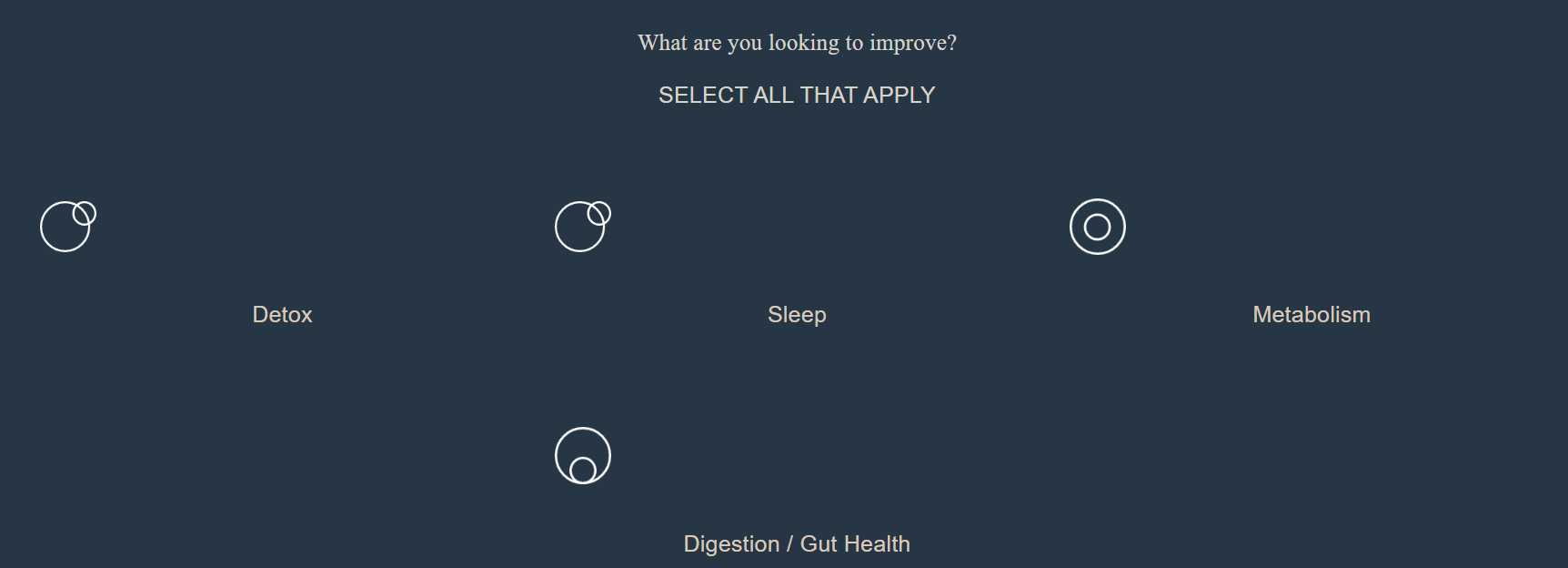
Rather than asking shoppers to decode ingredient lists or compare dozens of SKUs, the quiz distills the decision into a guided conversation. The result is a confident shopper who arrives at the product page already sold on the recommendation, not one who tabs over to a competitor to keep researching.
This works especially well in wellness, where purchase intent is high but product complexity creates friction. Juna’s quiz positions the brand as a knowledgeable guide rather than a seller – critical for repeat purchase categories.
Find your personalized wellness match ? juna-world.com/pages/quiz
Brands like Juna demonstrate what’s possible when a visual quiz builder Shopify implementation is paired with genuine personalization logic. The quiz doesn’t just segment customers – it earns their trust before a single product is shown.
Choosing the Right Shopify Quiz Builder
The quiz app market for Shopify has grown considerably. Here’s a quick comparison of features worth evaluating:
| Feature | Why It Matters |
| Conditional logic/branching | Adapts quiz paths to each answer, skipping irrelevant questions |
| Image-based answer options | Dramatically improves completion rates |
| Results page customization | Controls the most conversion-critical screen in the quiz |
| Email platform integrations | Connects quiz data to Klaviyo, Mailchimp, and others |
| Analytics dashboard | Shows drop-off points, completion rates, and revenue attribution |
| Shopify theme compatibility | Ensures the quiz looks native to the store, not bolted-on |
Visual Quiz Builder is a visual quiz builder that Shopify merchants rely on for exactly this feature set – built specifically for Shopify without a steep learning curve. It handles conditional logic, image-based questions, and direct Shopify product mapping – meaning the recommendations it surfaces are always in-stock, properly tagged catalog items.
For stores in wellness, skincare, haircare, or supplement verticals, explore how it works at visualquizbuilder.com/supplements, or review the full feature set at the Visual Quiz Builder homepage.
Three Types of Quizzes Worth Building First
Starting with the right quiz format shortens the path to results. These three consistently outperform others for Shopify stores:
- Product Finder Quiz – Preference questions (skin type, budget, use case) that map to specific products or collections. Best for stores with 20+ SKUs where decision fatigue is the main barrier.
- Gift Finder Quiz – Shoppers buying for someone else often have high intent but low product knowledge. A gift quiz that asks about the recipient’s lifestyle and budget dramatically reduces abandonment during gifting seasons.
- Diagnostic or “Match” Quiz – Common in wellness and beauty, this format leads with problem-focused questions (“What’s your biggest skin concern?”) rather than product-focused ones. It positions the brand as a trusted advisor – effective for repeat purchase categories.
Each of these can be built and launched in a single afternoon with the right Shopify quiz builder – no developer required.
Getting the Most From Quiz Data
The overall conversion rate when people start a quiz is 40.1%, according to Interact’s Quiz Conversion Rate Report – just over 4 in 10 quiz starters convert into a lead, with 65% completing all questions once they begin. That’s a meaningful audience generating structured preference data, and most stores don’t use it beyond the immediate recommendation.
Quiz responses should flow directly into customer profiles and segmentation lists. A shopper who identified as “combination skin, interested in anti-aging” should receive different post-purchase emails than one who answered “dry skin, focused on hydration.” McKinsey’s research shows personalization can reduce customer acquisition costs by as much as 50% and lift revenue between 5% and 15% – outcomes that compound when quiz data powers the segmentation behind those campaigns.
For a deeper look at optimizing quiz performance over time, the Visual Quiz Builder blog on quiz conversion strategies covers the four highest-impact levers in detail.
Frequently Asked Questions About Shopify Quiz Builders
Q1: What is the best free Shopify quiz app for beginners?
Several apps offer free tiers, including Quiz Kit and Recomma. Free plans typically cap monthly quiz responses. For new stores, a free plan is a practical way to test quiz placement and question flow before committing to a paid tier with analytics and CRM integrations.
Q2: Does adding a quiz to my Shopify store slow it down?
A well-built quiz app loads its assets asynchronously, so the widget doesn’t block page rendering. Look for apps marked “Built for Shopify” in the App Store – those have passed performance and compatibility standards that reduce the risk of slowdowns.
Q3: Can a Shopify quiz collect email addresses?
Yes, and this is one of the highest-value use cases. Most quiz builders allow an optional email capture between the last question and the results page. At that point, shoppers have already invested time and expect a personalized response – making them far more willing to share their email than they would be with a standard pop-up.
Q4: How many questions should a Shopify product quiz have?
Six to eight questions is the accepted sweet spot. The six recommendations feel generic. Above eight, completion rates drop. Conditional logic can make longer quizzes feel shorter by skipping questions irrelevant to a specific shopper’s path.
Q5: Do product recommendation quizzes work for stores with small catalogs?
They do, though the goal shifts. With under 20 products, a quiz is less about filtering and more about matching a specific use case to one of a few well-defined items. In this context, it functions as an educational tool that reduces post-purchase regret and returns.