
Your team has two ideas for a new video ad. One leads with the product’s main benefit; the other opens with a familiar customer problem. You already have footage that could support both, but an old promotion and a corner logo are baked into the picture.
Now a simple test needs extra editing. Covering the old graphics blocks the product, while cropping them out leaves little room for your new headline. Before you build either version, it helps to prepare a clean video that gives both ideas room to work.
Why Old Overlays Complicate New Campaigns
An expired discount or an outdated URL can compete with the message you’re trying to test. Even if viewers notice your new headline, the remaining information may confuse them about the offer.
Old graphics also limit your layout. If every version needs a large panel to hide a previous campaign label, you’re making design decisions around that label instead of the product.
The work adds up when you repeat the same repair for several versions. Cleaning the source once lets you focus on the differences you actually want to explore.
Use a Watermark Remover to Prepare the Base Video
First, check whether you still have the original editing project. If the logo or title sits on a separate layer, hide that layer and export a fresh copy. That preserves the underlying footage without needing to repair it.
If you only have a finished export, identify the elements that need attention. Watch beyond the opening seconds: a watermark may reappear after a transition, and an old end card may contain a different offer. Use material you own or have permission to modify.
For graphics embedded in the picture, a watermark remover can help you prepare the footage before adding new campaign elements. LogoRemover lets you upload a supported video, select the unwanted area, and preview the result. Start with a short section so you can judge the cleanup before working through the full asset.
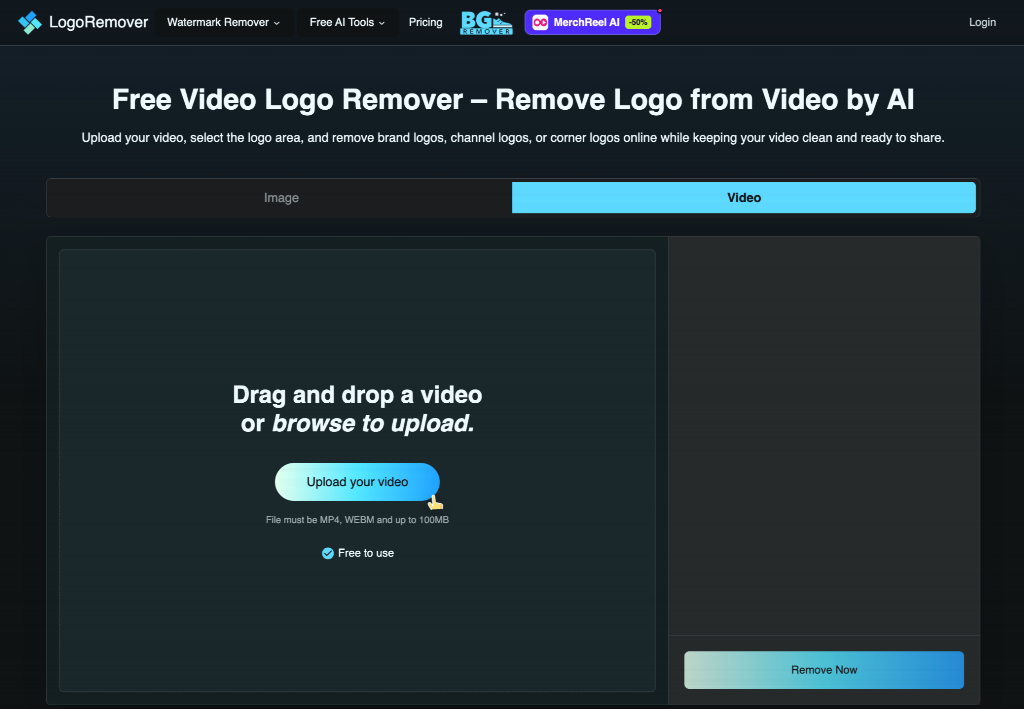
Keep the selection close to the mark, but include any outline, shadow, or translucent panel around it. An oversized selection may affect nearby details; an incomplete one may leave a faint trace of the old graphic.
Review the result during movement. Check product edges, packaging text, hands, and patterned backgrounds for flicker, distortion, or repeated textures. A repair that looks fine in a still frame may become distracting when the camera pans.
If an overlay completely hides an important product feature, replace that shot rather than relying on a reconstruction. Once the result holds up, save a clean master before adding headlines, dates, or new branding. Every test version can then start from the same checked footage.
Build Versions Around One Clear Question
Decide what you want to learn before changing the creative. For example, does an opening headline about convenience work better than one about product durability?
Use the clean master for both versions. Keep the product demonstration, duration, and main call to action consistent while changing the headline. Where possible, keep the audience, placement, and campaign settings comparable too.
This approach makes the comparison easier to interpret, although it doesn’t guarantee a particular result. Removing a watermark prepares the asset; the offer, message, audience, and delivery still influence performance.
Make Cleanup a Repeatable Preparation Step
Store the clean master alongside the original file and editable graphics. Give each campaign version a clear name so your team can connect its results to the right creative.
When the next offer or headline changes, you’ll have a usable starting point. Check the new export for old information and visible repairs, then move on to the marketing question you wanted to test.