Sales mapping tools put accounts, territories, and routes on one map, so field sales teams can see who owns each area and where reps should go next. A useful shortlist should explain how each tool handles mapping, territory ownership, and routing, and which subscriptions or add-ons you need.
We selected these five tools from published product information and review sources, without hands-on testing. SPOTIO is our top pick for connecting territory ownership to field activity. The alternatives address different needs, from scenario modeling to Salesforce-based planning and spreadsheet-led analysis.
Key Takeaways
- SPOTIO is our top pick for territory ownership connected to field activity, with assignment, overlap flags, coverage visibility, and routing.
- eSpatial suits territory redesign. Automated optimization and side-by-side scenario modeling require Advanced Territory Manager.
- Salesforce Maps fits Salesforce-based teams, but Territory Planning requires separate licensing and setup.
- Maptive supports spreadsheet-led analysis, territory balancing, reassignment, and export to a CRM.
- Badger Maps suits routing-first teams. Scope Badger Align and Badger Lead Routing separately from field-sales subscriptions.
How We Evaluated
Our assessment is source-based. We reviewed published product and pricing information alongside review-platform listings. We did not open trial accounts, generate screenshots, time workflows, or measure productivity gains. Prices and ratings below are snapshots accessed October 26, 2026, rather than guaranteed future quotes or performance benchmarks.
We assessed boundary design, rep assignment and reassignment, overlap and gap visibility, territory activity, routing, CRM handoff, and total licensing requirements. Placement reflects fit for field-sales managers who need to connect ownership with daily work. Review counts provide context for each rating; they do not establish that one product performs better.
The five visual placements below require genuine vendor UI captures or authorized screenshots before publication. Customer information must be anonymized.
1. SPOTIO

SPOTIO is our first pick for managers who want geographic assignments connected to ongoing field execution.
SPOTIO Pros
- Geographic or hand-drawn territory boundaries
- Assignment to an individual rep or a group
- Visual overlap flags for reviewing conflicting coverage
- Unassigned-area visibility for checking coverage gaps
- Activity tracking by territory
- Routing within assigned territories
- Real-time CRM sync with Salesforce, HubSpot, Microsoft Dynamics, and Zoho
SPOTIO Cons
- Pricing isn’t listed on its territory management page, so costs require a direct quote.
Why We Picked SPOTIO
We picked SPOTIO first because its published territory workflow connects ownership, activity, and routes. Its boundary and assignment options give managers several ways to organize coverage, while overlap flags and unassigned-area visibility support coverage reviews. Managers can use SPOTIO to design and assign territories while reviewing ownership and activity on the same geographic footprint. That combination fits the field-sales workflow we prioritized.
Its review snapshot was 4.5/5 on G2 from 400 reviews, the largest review sample in this shortlist. We treat that as customer-review context, not independent evidence of sales or productivity gains.
During a demo, we would bring representative accounts, redraw a boundary, change an owner, and review the Salesforce or HubSpot handoff. Evaluate value through those workflows and scope commercial terms directly with SPOTIO, including the functionality relevant to your team.
SPOTIO Pricing
SPOTIO doesn’t list plan prices on its territory management page. Request current pricing directly from SPOTIO and confirm users, features, and commercial terms against your workflow.
2. eSpatial
eSpatial Pros
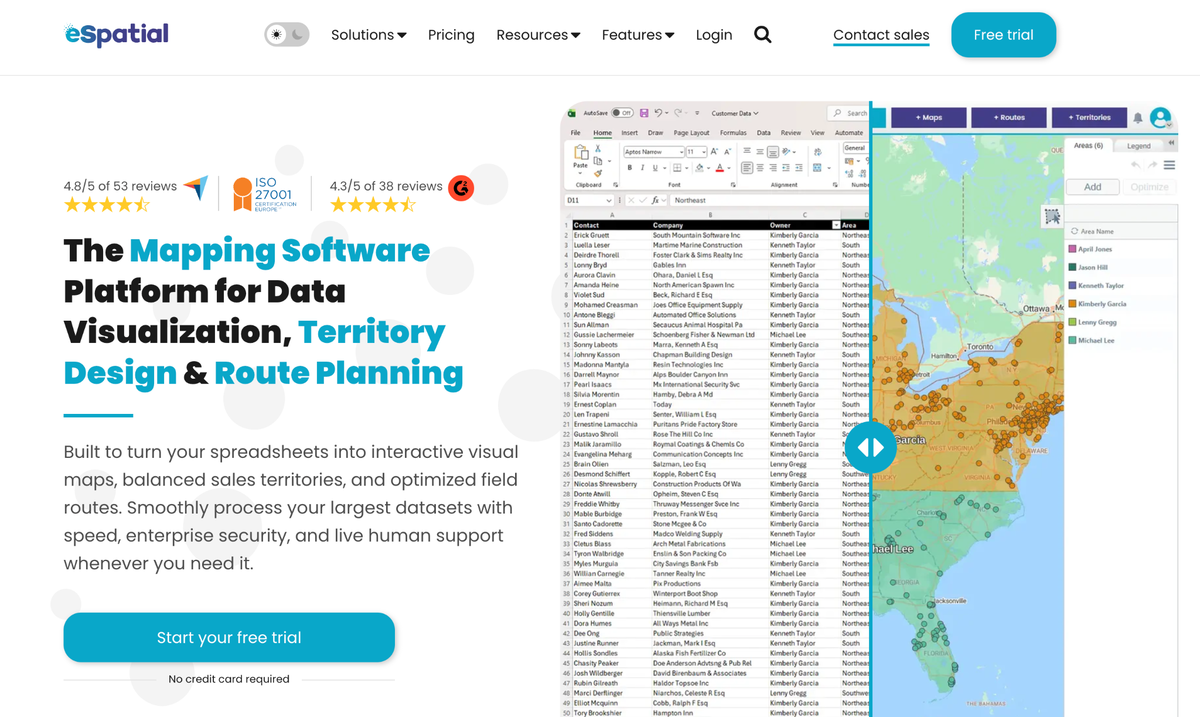
- Territory design and balancing for spreadsheet-based planning workflows
- Rep-specific assignment in Professional Territory Manager
- Visibility into balance across territories during design
- Automated optimization and side-by-side scenario modeling in Advanced Territory Manager
eSpatial Cons
- Every listed tier requires at least three users.
- Dedicated territory subscriptions cost more than Mapping Pro.
- Salesforce integration, SSO, data connectors, and additional boundaries are optional add-ons.
Why We Picked eSpatial
We included eSpatial for managers focused on redesigning coverage and comparing possible alignments. Its product information describes territory design and balancing, with side-by-side scenario modeling in the Advanced tier. US, Canada, and UK boundary datasets are included.
We would focus a demo on how planners define balance, assign reps, and review a proposed realignment. Its planning workflow deserves a separate assessment from the daily field workflow your reps need. The review snapshot was 4.3/5 on G2 from 38 reviews; that sample provides context rather than a performance comparison.
eSpatial Pricing
Mapping Pro is $499 per user per year, Professional Territory Manager is $2,665, and Advanced Territory Manager is $4,999, all billed annually per user with a three-user minimum. Mapping Pro is not the complete territory-management tier. Professional covers design and rep assignment; Advanced adds automated balancing and what-if modeling. A free trial is advertised, but its duration was not verified.
3. Salesforce Maps
Salesforce Maps Pros
- Interactive maps displaying Salesforce and market data
- Optimized alignments and geographic designs through Territory Planning
- Drive-time and road-network planning through Territory Planning
- Communication of territory configurations within the Salesforce workflow
Salesforce Maps Cons
- Territory Planning is separately licensed and requires the Maps managed package and assigned permissions.
- Maps Mobile requires an internet connection and does not support offline mode.
Why We Picked Salesforce Maps
We included Salesforce Maps for teams whose account records already live in Salesforce. Its Territory Planning documentation describes optimized alignments, geographic designs, and drive-time planning. That makes it a relevant option when territory decisions need to remain connected to the existing CRM environment.
We would confirm licensing, permissions, and mobile access before evaluating the workflow. The standalone Maps app retired on August 31, 2026; current guidance directs reps to Maps Mobile inside the Salesforce app. The Maps-specific review snapshot was 4.5/5 on GetApp from 21 reviews, the smallest sample here.
Salesforce Maps Pricing
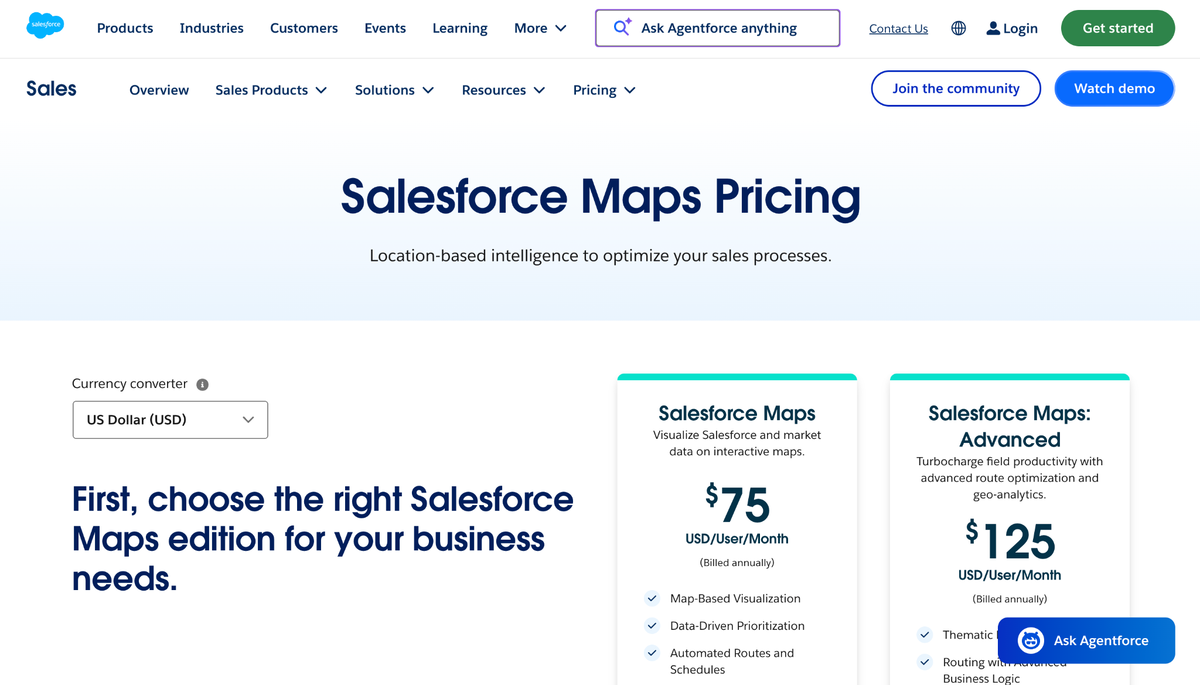
Maps is $75 per user per month and Maps Advanced is $125, billed annually. Neither figure is an all-in Territory Planning or Salesforce CRM quote. Territory Planning is an add-on to Maps, with managed-package and permission requirements described in Salesforce’s Trailhead documentation. A Sales Cloud trial does not establish eligibility for a Maps or Territory Planning trial.
4. Maptive
Maptive Pros
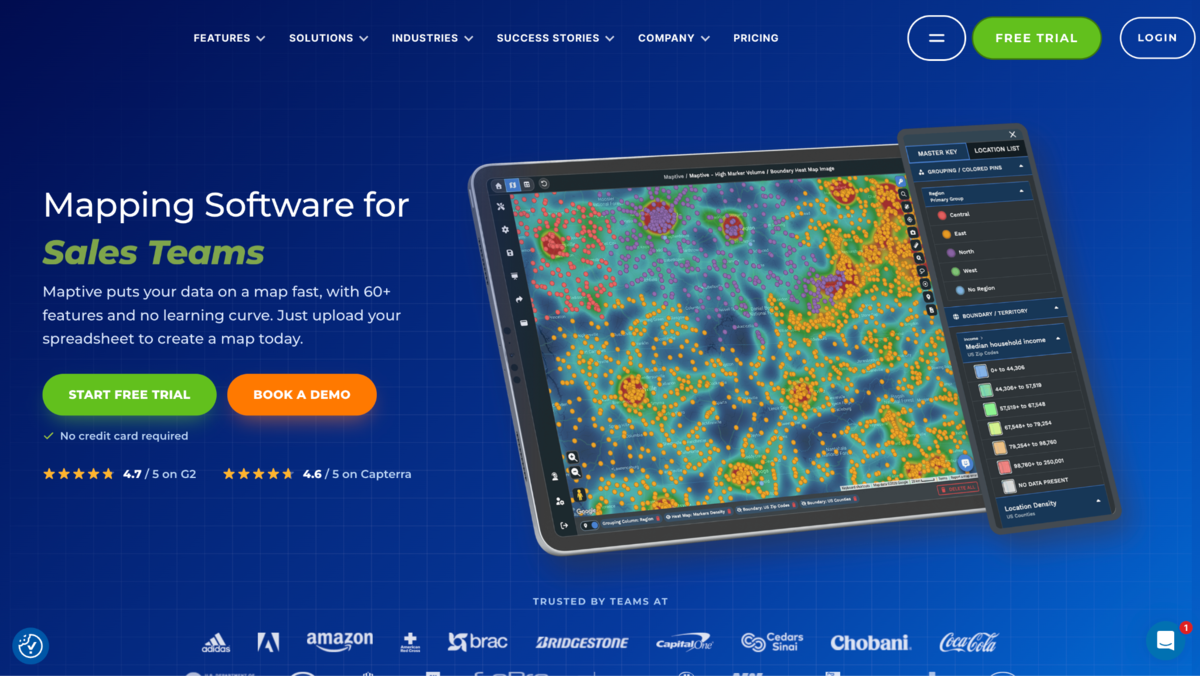
- Data-upload and rule-based territory planning workflow
- Balancing by accounts, revenue, or workload
- Geographic boundaries with live territory metrics
- Reassignment and export to a CRM
Maptive Cons
- Pro includes one user; Team includes five users and map collaboration.
- API access and collaboration have separate tier eligibility, although mapping tools span plans.
Why We Picked Maptive
We included Maptive for operations managers working from spreadsheets who need a geographic view of account distribution, applying geographic segmentation to sales coverage. Its territory page describes balancing against business metrics, reviewing live territory numbers, reassigning coverage, and exporting results to a CRM. Those steps support a planning-and-analysis workflow for mapping sales territories.
We would use a demo to check how account data, balancing rules, and final assignments move between Maptive and the team’s CRM. That review should also establish who needs editing or collaboration access. Its dated review snapshot was 4.7/5 on G2 from 35 reviews, which should be read alongside the small sample rather than as proof of better outcomes.
Maptive Pricing
Pro costs $110 monthly or $1,250 annually for one user. Team costs $220 monthly or $2,500 annually for five users and includes map collaboration. A 45 Day Pass costs $250, and Enterprise requires a quote. The full-feature trial lasts ten days without a credit card; it is time-limited, not a permanent free plan. Confirm API eligibility separately if automated data exchange is required.
5. Badger Maps
Badger Maps Pros
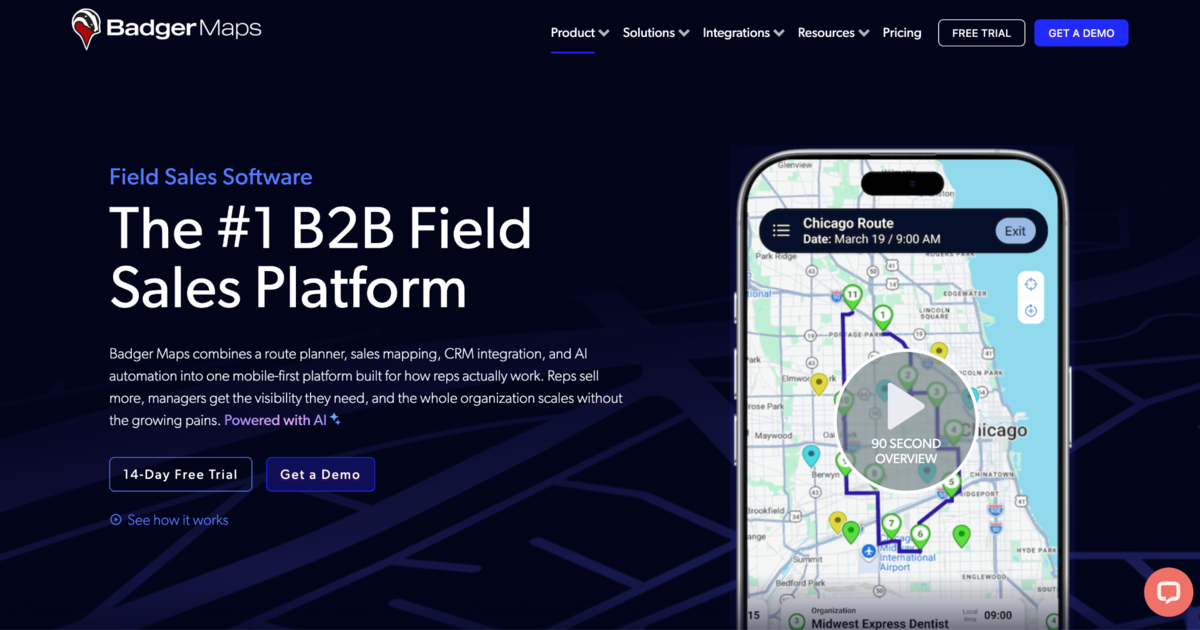
- Multi-stop route optimization for up to 120 stops
- Weighted custom metrics and realignment through Badger Align
- Legacy-account exclusions to preserve existing rep relationships
- Address-based territory matching and attribute rules through Badger Lead Routing
- Two-way CRM connector in Align
Badger Maps Cons
- Territory alignment and lead routing are separate from field-sales subscriptions.
- Badger Align requires at least five territories.
Why We Picked Badger Maps
We included Badger Maps for routing-first teams that also need territory alignment or lead assignment. Align supports weighted metrics and exclusions for legacy accounts. Lead Routing matches addresses to territories and supports rules using company size, opportunity size, product type, or industry.
The purchasing task is to scope the field-sales subscription, Align, and Lead Routing separately. We would check which components the team needs and how CRM records move between them. Its review snapshot was 4.7/5 on G2 from more than 300 reviews, not an independent routing or territory-design test.
Badger Maps Pricing
Business is $58 per user per month billed annually or $69 monthly. Enterprise is $95 per user per month billed annually or $109 monthly; Enterprise Plus requires a quote. Align starts at $20 per territory per month billed annually, with five territories minimum. Lead Routing starts at $16 per rep per month annually or $18 monthly, with a five-rep minimum. Introductory access is a fourteen-day trial. Keep per-user, per-territory, and per-rep charges separate when budgeting.
Conclusion
SPOTIO is our top pick for field teams connecting territory ownership with daily activity. Its published feature set brings boundary design, assignment, overlap and gap visibility, territory activity, and routing into the workflow we prioritized. That is a fit judgment, not a claim of universal superiority or verified productivity gains.
Shortlist eSpatial for scenario-led redesign, Salesforce Maps for Salesforce-based planning, Maptive for spreadsheet-led analysis, and Badger Maps for routing with separately scoped territory components.
Before choosing, ask vendors to demonstrate the same representative accounts, boundary change, owner reassignment, and CRM handoff. Confirm the necessary users, add-ons, permissions, and commercial terms against that workflow.
FAQ
Which tool should we shortlist first?
We would start with SPOTIO when the priority is territory ownership connected to field activity. For redesign with side-by-side scenario comparison, evaluate eSpatial’s Advanced Territory Manager tier.
How is territory assignment different from route planning?
Assignment establishes which rep owns an area or account. Route planning sets the order of visits. Check both workflows during a demo, including how a boundary or ownership change affects a rep’s work.
Are free trials the same as free plans?
No. Maptive’s ten-day trial and Badger Maps’ fourteen-day introductory access expire. eSpatial advertises a free trial, but its duration was not verified. We make no trial, pricing, or plan-level availability claims for SPOTIO.