A SaaS website has an odd job. It may start as a fairly ordinary marketing site with a homepage, pricing page, blog, and a few product pages. Then the company grows and suddenly that same website is supporting dozens of landing pages, multiple languages, documentation, integrations, comparison pages, and several people publishing at the same time.
This is usually where the limitations of a conventional WordPress setup become noticeable.
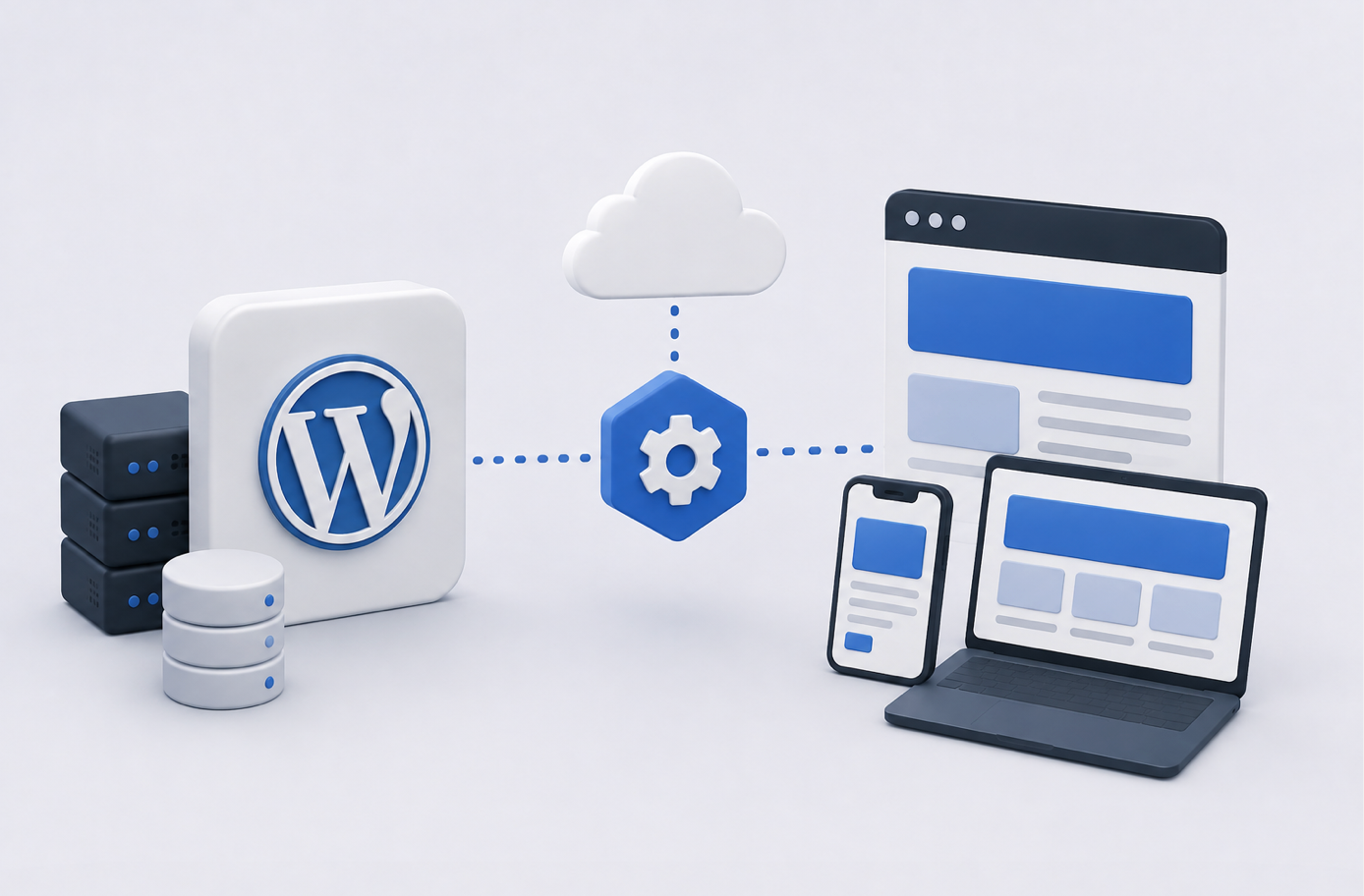
Headless WordPress is one way to handle that growth. WordPress continues to manage content, but it no longer has to control how every public page is rendered. The frontend becomes its own application and retrieves content through an API.
For some SaaS startups, that separation is exactly what the website needs. For others, it’s extra engineering with little practical payoff.
What “Headless” Actually Changes
In a traditional WordPress setup, the CMS does two jobs. Editors manage content in the admin area, and the WordPress theme turns that content into pages visitors see.
Headless WordPress separates those jobs.
WordPress remains behind the scenes as the CMS. The public website might be built with Next.js, React, Vue, or another frontend technology. When someone visits a page, the frontend gets the required content from WordPress through REST API, GraphQL, or another integration layer.
Editors don’t have to abandon WordPress because of that architectural change. They can still write articles, update product copy, upload images, and manage structured content through an interface they already understand.
Visitors simply don’t interact with a conventional WordPress theme.
Why SaaS Teams Consider Going Headless
Performance is usually high on the list.
SaaS marketing sites often have pages carrying screenshots, animations, interactive product demonstrations, pricing components, and plenty of tracking code. A frontend built specifically around those requirements gives developers tighter control over what ships to the browser.
There is another benefit that’s easy to overlook: the website can behave more like the product itself.
If the SaaS application already uses React, for example, the marketing frontend can potentially use familiar development patterns and components. That doesn’t automatically mean the two applications should share everything, but it can reduce the gap between product and marketing engineering.
Headless architecture also makes sense when WordPress content needs to appear in more than one place. The same article, help content, or product information can feed a website, mobile application, customer portal, or another interface through APIs.
WordPress Still Has a Useful Role
Going headless doesn’t mean replacing WordPress.
That’s really the point.
Building a custom frontend CMS from scratch just because the company wants a faster website creates an enormous amount of work that has little to do with the actual SaaS product. Editorial permissions, revisions, media management, previews, publishing workflows, and content modeling all need to come from somewhere.
WordPress already handles much of that.
Headless WordPress separates the content layer from the presentation layer, so a SaaS startup can serve a custom front end while editors keep working in the familiar WordPress admin. A from-scratch WordPress site on a headless architecture decouples a fully custom front-end design from WordPress as the content source, an approach that agencies like IT Monks build for high-traffic products where performance optimization of the front end matters more than theme flexibility. The trade-off is engineering effort: a headless stack needs a maintained front-end codebase and an API contract that survives WordPress updates.
That trade-off deserves more attention than it sometimes gets. Headless isn’t simply a faster version of normal WordPress. It’s a different development model.
Content Modeling Matters More Than Before
Traditional WordPress sites can get away with storing quite a lot of information inside large content fields because the theme knows how to display it.
A headless frontend works better when content is structured.
Imagine a SaaS pricing page with plan names, monthly prices, annual prices, feature lists, CTA labels, promotional messages, and comparison data. Storing all of that as one formatted block of HTML makes the frontend unnecessarily dependent on presentation decisions made inside WordPress.
Structured fields give the frontend cleaner information to work with.
This also makes reuse easier. A product description stored as structured content can appear on a landing page today and inside an application tomorrow without somebody copying it into another system.
Previewing Content Can Be Tricky
One detail teams often discover late is that editorial previews become more complicated.
On a conventional WordPress site, WordPress knows exactly how to preview a draft because it controls the frontend. In a headless setup, the public interface exists somewhere else.
The frontend therefore needs a preview mechanism that can securely request unpublished WordPress content and render it correctly.
It’s solvable, but it should be part of the architecture from the beginning. Otherwise, marketers can end up publishing pages simply to see how they look, which isn’t much of a workflow.
The Frontend Becomes Its Own Product
Once WordPress and the frontend are separated, the frontend needs its own deployment process.
Developers have to maintain dependencies, test builds, handle environment variables, monitor errors, and decide how pages are generated and cached. WordPress updates also need testing against the API contract used by the frontend.
That is more operational work than maintaining a straightforward custom WordPress theme.
A SaaS startup with an engineering team may be perfectly comfortable with it. A small marketing department relying on occasional freelance development may find the setup unnecessarily difficult.
Team structure matters almost as much as technical requirements.
SEO Doesn’t Come Automatically
A headless website can perform extremely well in search, but architecture alone doesn’t guarantee that.
The frontend still needs correct metadata, canonical URLs, redirects, XML sitemaps, structured data, crawlable internal links, and sensible rendering behavior.
Content teams also need access to the SEO fields they use in WordPress.
If editors can update a page title but need a developer every time they want to change a canonical tag or social preview, the system hasn’t really preserved editorial independence.
These requirements are easier to address while designing the content model than after hundreds of pages are live.
Think About Caching Early
One advantage of a decoupled frontend is that many public pages don’t need to ask WordPress for fresh content on every visit.
Pages can often be generated ahead of time and served through a CDN. When an editor changes something in WordPress, a webhook can tell the frontend to rebuild or revalidate the affected page.
This can produce very fast delivery while keeping publishing reasonably quick.
The details depend on the site. A pricing page might need immediate updates, while an older blog article could tolerate a longer cache period.
Treating every piece of content identically wastes some of the flexibility the architecture provides.
When Headless Is Probably Worth It
A SaaS startup should have a concrete reason for taking on the additional engineering.
Headless WordPress starts making sense when the site receives substantial traffic, needs an unusually customized frontend, shares content across several channels, or already sits within a frontend engineering ecosystem that makes the architecture natural.
It can also be valuable when the marketing website is becoming closer to a web application than a collection of CMS pages.
If the company mainly needs a fast homepage, blog, pricing page, and a manageable set of landing pages, a well-built custom WordPress site may remain the simpler answer.
There is nothing inherently outdated about a traditional WordPress architecture when the theme is lean and the hosting is good.
Choose Based on the Next Few Years
The best time to consider headless architecture isn’t necessarily when a SaaS company is brand new. It’s when the team can see that its website requirements are becoming structurally different from what a traditional theme handles comfortably.
A headless build creates more freedom on the frontend, but somebody has to maintain that freedom.
For SaaS startups with the engineering capacity and a real need for independent frontend development, WordPress can work very well as the content engine behind the scenes. For everyone else, keeping the architecture simpler may leave more time to work on the product, the content, and the customers the website was built to attract in the first place.